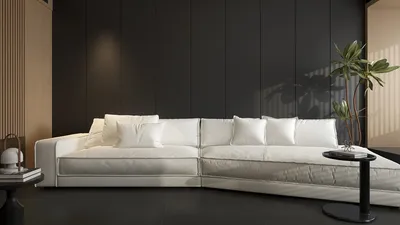


I view study spaces as performance environments where aspects like color, illumination, and layout subtly influence behavior. The objective is straightforward: maintain steady focus, lessen cognitive strain, and facilitate prolonged periods of concentrated work. In my designs, a balanced mix of neutral colors paired with carefully chosen accents has consistently proven to enhance concentration more effectively than vivid palettes.
Support for this approach is found in research. According to Steelcase, 70% of employees face distractions and mental fatigue in inadequately designed spaces, highlighting the importance of sensory control—including color and light—as key drivers of productivity. WELL v2 reinforces the idea of visual comfort and glare management as essential for cognitive functioning, outlining ideal parameters for brightness and consistency in workspace areas. These standards remind me to ensure that my color selections align with the quality of lighting, rather than treating paint purely as decorative elements. To achieve optimal light levels, IES recommendations suggest aiming for about 500 lux for intricate tasks, which aids in accurate color perception while minimizing eye strain.
While color psychology is a factor, its implications are more complex than simply stating 'blue enhances focus.' Insights from Verywell Mind indicate that blue hues evoke calmness and clarity, green tones are associated with stability and less eye strain, and muted yellows can inspire positivity—however, effects vary depending on saturation and context. I’ve found that mid-tone, muted blues and sage greens promote sustained focus much better than primary shades. Although high-intensity colors may provide a brief energizing effect, they can become visually overwhelming during extended study sessions.
Fundamental Palette Strategy: Neutral Foundation with Subtle Accents
Begin with a neutral backdrop to create a visually stable environment. Shades such as warm greige, soft taupe, or light oat offer gentle contrast against paper and screens, calming peripheral vision. Integrate muted accents—like dusty blue, moss, or mineral green—on a feature wall, shelving, or textile layers to delineate the study area without overwhelming it with too much color. This approach seeks to manage arousal effectively: enough color to signal purpose, without distracting from the main tasks.
Lighting-Tuned Color Selections
The effectiveness of color choices is contingent upon well-adjusted lighting. For study tasks, I recommend a correlated color temperature (CCT) between 4000K and 4500K for desk lighting to strike a balance between alertness and comfort, while ambient light should be adjusted to around 3500K-4000K to create a cozy atmosphere. With approximately 500 lux for task lighting (in line with IES guidance), desaturated colors remain clear without causing glare. It's best to avoid high-gloss finishes that increase specular reflections; opting for matte or eggshell paints helps maintain contrast and minimizes visual fatigue.
Blue for Serene Focus.
Desaturated blues—such as slate, steel, or dusty blue—promote tranquility and focused attention. During extended study periods (reading, coding, writing), these shades help sustain lower cognitive arousal levels. Subtle applications on a feature wall or fabric panels are most effective. Keep saturation levels moderate; industrial-inspired blues may feel too cold when paired with overly bright lighting.
Green for Visual Recovery.
Shades like moss, sage, or eucalyptus provide visual relief and are less straining on the eyes during long screen sessions. These greens harmonize beautifully with natural materials (such as oak, ash, wool) to create a refreshing micro-environment. A shelving unit with plants against a sage green backdrop adds both color variety and a touch of biophilic design—beneficial when short breaks away from nature are unavoidable.
Earthy Neutrals for Stability.
Warm greige, stone, and clay offer a solid foundation that diminishes visual distraction. These colors act as a neutral canvas, adapting seamlessly to shifting needs—such as new posters, task lighting, or additional hardware—without leading to clashing colors. They also balance bright screens, keeping distractions at bay.
Gentle Yellow Accents for Elevated Mood.
Muted yellows—like wheat or buttermilk—can uplift spirits and combat the midday slump. It’s best to use them sparingly on small elements like pinboards, trim, or office accessories. Bright yellow, especially under cool lighting, can cause glare and lead to mental overstimulation.
Warm vs. Cool: Align Colors with Study Objectives.
For analytical and screen-oriented work, cooler-toned palettes (blue/green neutrals) enhance focus. Conversely, creative or humanities tasks benefit from slightly warmer hues, providing comfort while reducing the sterile feel. Limit the overall color spectrum to no more than three shades to maintain coherence.
Harmonizing with Textures and Materials.
Color is only part of the equation. Combine calming palettes with tactile materials—such as matte finishes, wool fabrics, cork, and open-grain woods—to enrich the environment without adding visual clutter. Soft textures aid in sound absorption, crucial for maintaining concentration, as acoustic comfort significantly influences focus. Incorporating a rug, upholstered seating, and a fabric pinboard can help mitigate echo.
Controlling Glare, Contrast, and Eye Comfort.
Glare can undermine even the best color schemes. Arrange the desk perpendicular to windows to minimize direct glare on screens, utilize layered window treatments, and ensure sensible contrast ratios: pairing a dark desktop with a bright wall can cause eye strain, while overly uniform spaces can diminish depth perception. Mid-tone walls behind monitors generally yield the best results. For guidance on design standards and performance, WELL v2's concepts on visual comfort provide a valuable framework, and IES recommendations on task lighting supply measurable targets.
Using Layout and Color for Zoning.
Leverage color to distinguish between work and relaxation areas. A soft blue study wall can juxtapose with a warmer neutral lounge area for breaks. Maintain storage units in a similar neutral palette as the walls to visually compress background details. If you're designing the furniture layout, a room layout tool can simplify the testing of desk positioning, bookshelf placement, and glare angles before applying paint.
Ceilings, Trim, and Subtle Accents.
A lightly tinted ceiling (2-4% of wall color) can soften the visual impact of overhead lighting. Trim painted in a slightly darker neutral sharpens edges and enhances the ability to mentally navigate the room. Micro-accents—such as consistent colors for stationery, cable management, and lampshades—achieve coherence without overwhelming the space visually.
Emerging Trends for Study Rooms in 2024–2025.
Hybrid study setups focus on durability and comfort: matte finishes to mitigate reflections, modular shelving that accommodates changing course loads, and palettes that transition from warm to neutral for better on-camera appearance. Ergonomic design is becoming standard—adjustable chairs, task lights featuring high Color Rendering Index (CRI), and monitors at arm's level—wrapped in color schemes that favor muted blues and greens rather than bright, saturated options.
Effective Quick Color Pairings.
- Slate blue + warm greige + oak
- Sage green + bone white + cork
- Dusty blue + taupe + wool gray
- Wheat yellow (accent) + clay neutral + ash wood
Maintenance and Durability.
Opt for washable matte or eggshell finishes in high-use areas. Maintain consistent pigment across paint and textiles to avoid metamerism under varying lighting conditions. If changes are made to lighting later (in terms of CCT or brightness), reassess how your colors appear at night compared to during the day.
Trusted References.
For insights on distraction and cognitive performance, refer to Steelcase Research. For criteria related to lighting and visual comfort suitable for study areas, consult IES Standards and the visual comfort guidelines outlined in WELL v2.
Frequently Asked Questions.
Q1: What wall color best facilitates prolonged study?
A: A neutral foundation (such as warm greige or soft taupe) combined with a muted accent (like dusty blue or sage) fosters sharp focus by reducing peripheral distractions while retaining psychological engagement.
Q2: What level of brightness is ideal for task lighting?
A: Aim for around 500 lux at your desk for reading and writing, which aligns with commonly followed IES guidance for detailed tasks. This should be complemented with a correlated color temperature (CCT) of 3500K-4500K to create a balance between alertness and comfort.
Q3: Which colors help minimize eye strain during screen work?
A: Muted blues and greens significantly lessen visual fatigue, especially when used in conjunction with matte surfaces and effective glare control. It's wise to avoid vibrant colors near your monitor.
Q4: Do warm colors negatively impact focus?
A: Not necessarily. Warm neutrals (like greige or clay) provide comfort and work well when the color palette is thoughtfully regulated. High-intensity warm accents should be kept to a minimum to prevent overstimulation.
Q5: What finishes are best to choose?
A: Matte or eggshell finishes are the preferred options for walls to minimize reflections. Glossy surfaces near screens can contribute to specular glare and resultant visual fatigue.
Q6: How should a small study room be designed?
A: Incorporate lighter neutrals to keep the space feeling open, focus color on a single accent wall, and select storage solutions in similar neutral tones to reduce visual congestion. Utilizing an interior layout planner alongside a simulation tool can also assist with furniture placement.
Q7: Does daylight influence color perceptions?
A: Absolutely. Northern light lends cooler tones and evenness, while western exposure can warm and intensify hues. Sample paint colors at various times throughout the day to ensure your chosen palette remains harmonious.
Q8: What about the impact of acoustic comfort?
A: While colors alone won’t absorb sound, the materials used alongside them will. Utilizing rugs, upholstered furniture, cork boards, and curtains can help minimize reverberation, promoting sustained concentration.
Q9: Which accent color is the safest option if I'm unsure?
A: Dusty blue is a trustworthy selection for analytical tasks, while sage green is ideal for mixed study and creative activities. Keeping saturation low and finishes matte is key.
Q10: How can I select colors when multiple individuals share the room?
A: Start with neutral foundations and employ movable accents (such as pinboards and desk accessories) to add personal touches without requiring repainting. This strategy maintains a calming base while permitting individual preferences.
Q11: Can lighting temperature serve as a substitute for color psychology?
A: Lighting certainly enhances alertness and visual comfort, but it cannot replace the environmental signals provided by color. Combining well-calibrated CCT and lux with muted tones yields the best outcomes.
Q12: How frequently should I evaluate my color palette?
A: Reassess annually or whenever lighting modifications are made. If a new monitor, task lamp, or window treatment is introduced, confirm that color rendering and contrast remain comfortable.
What began as an Autodesk innovation has evolved into a design platform used by more than 18 million people around the globe. Homestyler combines powerful rendering, an intuitive editor, and a vast furniture library to help you turn inspiration into photorealistic designs — whether you're redesigning a single room or planning an entire home.

Minimalist Solid Oak Storage Cabinet With Open Shelves 3D Model
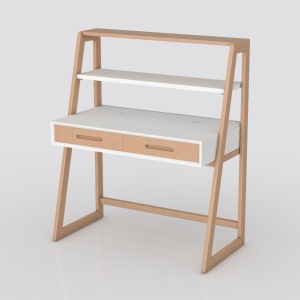
Minimalist Solid Wood Two Tone Writing Desk with Shelves 3D Model

Minimalist Solid Oak Wood Bookshelf Display Storage 3D Model
Discover your dream home with Homestyler! This user-friendly online platform offers an incredible design tool, stunning 3D renderings, and a wealth of DIY video tutorials. Whether you're a beginner or a seasoned pro, Homestyler empowers you to unleash your creativity and transform your space effortlessly.
立即免费设计
































