

Direct Answer
Office space planning software enables designers to create precise layouts by measuring square footage, outlining circulation routes, and visualizing furniture placement accurately. Contemporary office layout planning solutions combine floor mapping, 3D visualization, and measurement tools, allowing teams to evaluate designs prior to construction or renovation phases.
These digital platforms minimize errors, enhance team collaboration, and simplify the process of designing work environments that utilize space efficiently.
Quick Takeaways
Introduction
When organizations begin workplace redesign projects, the primary hurdle typically revolves around effectively organizing available square footage. Having worked on numerous projects—from compact startups of 1,000 sqft to expansive corporate offices spanning 40,000 sqft—I've observed that most costly errors stem not from aesthetics but from flawed planning.
Without dependable office layout planning software, teams often depend on rough sketches, spreadsheets, and estimations, which commonly result in poor circulation, overcrowded desks, or meeting rooms failing to meet occupancy requirements.
Today’s digital planning tools revolutionize this process by providing precise measurements, furniture placement visualization, and realistic simulations of how people navigate the workspace.
For efficient workspace design, initiating with a comprehensive layout planning method that maps departments and circulation pathways can prevent many common early planning pitfalls.
This guide explores essential tools, features that drive productive planning, and pitfalls many companies overlook until after construction.
save pin
Why Digital Tools Enhance Office Space Planning
Key Insight: Digital platforms enhance office space planning by integrating measurement precision, layout testing, and immersive visualization within a single interface.
While traditional planning relies mainly on 2D blueprints, these often mask spatial challenges until construction is underway. Digital tools facilitate real-scale simulations of office environments.
Over years of experience, I’ve identified three key benefits when teams transition to digital workspace design software.
The International Facility Management Association (IFMA) consistently emphasizes that poor spatial planning escalates real estate expenses. Digital planning tools mitigate inefficiencies by enabling rapid testing of various layouts.
In numerous projects, swiftly iterating digitally uncovered that initial plans could accommodate 10–15% more workstations without compromising comfort.
Core Features of Office Layout Planning Software
Key Insight: Effective office planning software prioritizes measurement accuracy, scalable layouts, and realistic visualization over overly complex design functionalities.
Not all design tools are suited for office planning; some specialize in architectural drafting, while others focus on interior visualization. The optimal office floor plan software merges these capabilities.
Below are critical features I consistently recommend when choosing software.
A frequent error involves adopting overly sophisticated architectural programs when simpler, more iterative platforms could better serve office layout purposes.
save pin
Popular Software for Office Floor Plan Design
Key Insight: Leading office layout tools achieve a balance between ease of use, realistic visualization, and precise scaling.
Various tool categories dominate office planning, each suited to different project types.
Interior teams often find that pairing flexible planning software with visual floor plan platforms that render realistic spatial previews greatly accelerates decision-making.
This visualization is crucial when presenting to executives unfamiliar with technical drawings.
Utilizing CAD and Space Planning Solutions
Key Insight: CAD excels in delivering technical accuracy, while modern space planning applications emphasize speed and simplicity.
Both CAD and digital planning software are integral to comprehensive office design workflows.
Advantages of CAD include:
Benefits of space planning software encompass:
In practice, many designers begin with layout tests in visual planning tools and then finalize technical documentation with CAD.
This hybrid approach shortens drafting times and spotlights layout issues earlier in the process.
save pin
Accurately Measuring and Visualizing Square Footage
Key Insight: Effective square footage calculation accounts simultaneously for usable areas, circulation routes, and workstation density.
A frequent misconception is that raw square footage dictates capacity; however, circulation and communal areas often occupy 30–40% of total office space.
Designers should apply a structured methodology when measuring layouts.
Step-by-step process includes:
Utilizing an intuitive online floor plan creator that automatically calculates room dimensions can substantially reduce initial measurement errors.
Another often overlooked aspect is furniture clearance; while desks might appear to fit, ergonomic spacing and chair movement must be considered.
save pin
Incorporating Layout Tools Within Office Design Workflows
Key Insight: Office planning platforms are most powerful when integrated into the full design process—from preliminary concepts through to final presentation.
Within professional practice, these tools transcend simple drawing utilities and become critical decision-making environments throughout projects.
Workflow integration typically involves:
Organizations adopting digital planning early tend to speed decisions and avoid costly redesigns.
Answer Box
The most efficient office space planning applications blend precise measurement, adaptable floor plans, and 3D visualization. Leveraging digital tools like Homestyler early in the design phase helps prevent expensive layout errors and optimizes usable workspace.
Final Summary
FAQ
What is office layout planning software?
Office layout planning software aids designers in generating scalable floor plans, calculating square footage, and accurately positioning furniture within work environments.
What is the best office floor plan design tool?
The ideal tool varies by project; many teams combine user-friendly visual platforms with CAD to balance ease and technical detail.
How is office square footage calculated?
Calculate total floor area minus structural components, circulation zones, and shared space to identify usable workspace.
Can digital tools enhance office space planning?
Definitely. Digital solutions enable layout testing, precise measurements, and circulation visualization before construction.
How much area should each workstation have?
Modern offices generally allocate 60–100 square feet per workstation depending on design and collaboration requirements.
Do office planning platforms support 3D visualization?
Many contemporary tools, including Homestyler, offer real-time 3D views to clarify spatial arrangements and furniture placements.
Why is accurate square footage critical in office design?
Miscalculations can cause overcrowding, inefficient traffic flow, and expensive remodeling.
Are free office layout planning tools dependable?
Numerous free options provide reliable features suitable for early-stage layout testing and conceptual designs.
References
International Facility Management Association (IFMA) Workplace Planning Resources
American Society of Interior Designers Workplace Design Guidelines
Built on technology originally developed at Autodesk, Homestyler empowers anyone to design beautiful, realistic spaces in minutes. Join over 18 million users who have already discovered a smarter way to plan, visualize, and bring their dream homes to life — all from the comfort of a browser.

Modern Black Gold Solid Wood Office Desk 3D Model

Limari Home Caston Collection Modern Home Office V
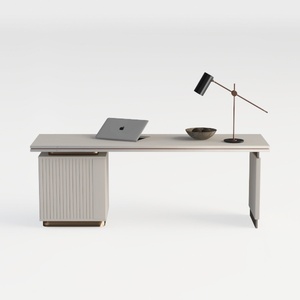
Modern Minimalist Solid Wood Office Desk With Gold Accents 3D Model
Homestyler offers an easy-to-use online design tool with stunning 3D renderings, a vast collection of interior projects, and helpful DIY video tutorials—making it simple and fun to create your dream home design.
Projete agora para LIVRE
































