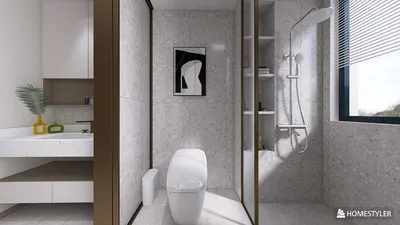


I consider office accessories to be silent allies: they influence our posture, concentration, mood, and ultimately our work quality. An ideal blend of ergonomic design, sound management, lighting, and personal touch can achieve balance without creating visual chaos. Numerous studies highlight the significance of spatial details: the Gensler 2024 U.S. Workplace Survey indicates that employees who have access to well-equipped environments report markedly higher effectiveness, while research from Herman Miller establishes a link between properly adjusted seating and accessories to decreased musculoskeletal discomfort and enhanced productivity. The subtleties of color and lighting also play a pivotal role in cognitive performance and emotional well-being.
Data reinforces this viewpoint. Steelcase reveals that individuals who can modify their environment—including lighting, privacy options, and layout—are generally more engaged and experience fewer distractions. Lighting guidelines play a crucial role; the IES office standards typically recommend 300–500 lux for general tasks, while task lighting elevates precision work. WELL v2 prioritizes glare mitigation, color accuracy, and circadian-friendly solutions to promote healthier workdays. These standards guide my selection of task lights, monitor arms, acoustic panels, and organizational tools that are not only functional but pleasing to the eye, integrating seamlessly with tools like Homestyler.
Establish Your Desktop: Essential Ergonomic Tools
My essential setup includes an adjustable monitor arm for proper eye alignment, a mechanical or low-profile keyboard that maintains elbow angles between 90 to 100 degrees, and a contoured mouse designed for comfort. To support neutral posture, a footrest is necessary, especially when chair height is adjusted for adequate desk clearance. In my experience, this combination minimizes fatigue during extended work sessions and enhances shoulder mobility. If you're contemplating adjustments to your furniture layout or screen distance, utilizing a room layout simulation tool can aid in visualizing workflows, sightlines, and cable management prior to making any purchases, including features offered by Homestyler.
Illuminate Purposefully: Task, Ambient, and Glare Control
I emphasize a layered lighting strategy: incorporating a dimmable task lamp that outputs 400–600 lumens with a color temperature between 3000 and 4000K for reading, complemented by indirect ambient illumination to soften harsh contrasts. Position the task light away from your writing hand to avoid casting shadows, and ensure reflective screens are angled to lessen luminance ratios that may lead to eye strain. In case of afternoon glare, using a micro-adjustable blind and a matte screen filter can be more sophisticated alternatives to simply drawing the curtains. Effective lighting allows accessories such as page holders and pen collections to stand out rather than overwhelm the visual space.
Acoustic Serenity: Panels, Textiles, and Controlled Zones
Office accessories can foster an acoustically pleasant environment without the need for extensive renovations. Felt pinboards serve dual purposes as tack surfaces and sound-absorbing panels; a compact desktop screen positioned behind the monitor can disrupt direct sound pathways; and a soft rug underfoot helps absorb the noise from footsteps and chair movements. I advocate using modular felt tiles behind or beside desks in high-density workspaces. For video conferencing, a portable fabric baffle and a high-quality cardioid USB microphone can diminish room echo, enhancing audio presence without needing to raise volume. Variation in finishes—combining soft materials with smooth ones—creates a well-rounded auditory environment.
The Influence of Color Psychology and Personal Touch
Color profoundly impacts mood and productivity. Shades of blue and gentle greens are known to foster sustained attention, while minimal pops of vibrant warm tones can infuse energy during focused tasks. I prefer my high-color items to remain modest—such as pen holders, cable covers, and notebook cases—to maintain a serene workspace. Personal mementos are most effective when curated strategically: a single artistic print, one striking houseplant, and a cohesive material story (like the harmony between brushed metal, wood, and felt) enrich the visual aesthetic without clutter.
Functional Desk Organization
Clutter is a design challenge, not a personal flaw. I categorize my workspace into three zones: in-reach for daily use items, near-reach for secondary tools stored on a raised shelf or drawer, and off-reach for archival supplies that are boxed and labeled. Utilizing a tiered tray for papers, a shallow container for smaller peripherals, and a cable channel with a rear exit helps achieve a tidy desktop. Vertical stands for laptops and trays for external drives create more usable space, while a discreet under-desk power strip with adhesive holds keeps cords organized. The aim is to maintain a clean desktop within two minutes of resetting.
Materials and Eco-Friendliness
I prioritize durable materials in my accessories: powder-coated steel, solid woods, and high-density recycled felt. Natural finishes minimize visual glare and develop a pleasing patina over time. For spaces needing warmth, incorporating a corkboard, linen pin panel, or leather desk mat introduces texture and a refined touch for writing. For frequently used items like mouse pads and wrist supports, I opt for covers that can be replaced easily and materials that are low in volatile organic compounds (VOCs), aligning with practices that promote healthier indoor air, as recommended by WELL v2.
Small Enhancements with Big Impact
Even minor accessories can change daily habits significantly. A compact foot rocker promotes ankle movement; a heated mug keeps beverages at the ideal temperature and minimizes spills; and a slim humidifier placed near greenery helps regulate the indoor environment during winter months. Additionally, I have a small organizer drawer for essentials like earbuds, chargers, and cleaning cloths, ensuring the desk remains functional rather than cluttered.
Incorporating Greenery and Biophilic Elements
Having one or two plants can soften hard lines and absorb reflections from shiny surfaces. Opt for resilient species that thrive in office light conditions and establish a straightforward watering routine. Select a planter that complements your metal or wooden finishes for a cohesive look, rather than as mere decoration.
Layout Considerations Before Purchase
Office accessories truly add value when they facilitate workflow. Ensure reach distances are on point: primary devices should be placed within 350–450 mm from your seated position, while reference materials need to be at a shoulder twist distance without requiring body twist. If you plan to transition to dual monitors or add shelving space, previewing potential clearances and lighting setups with an interior layout planner or tools like Homestyler can save you considerable time and hassle, often preventing ten days of returns after poor decisions.
Future-Proofing and Technology Integration
Selecting docking stations and hubs that feature front USB-C ports for portable devices, alongside rear ports for more permanent setups, enhances usability. Cable sleeves with zipper access simplify swaps for new devices. For those working in a hybrid model, incorporating a compact webcam cover, a magnetic light bar above the monitor, and a fold-flat laptop riser ensures your workspace remains consistent and adaptable in under a minute.
Expert References
For comprehensive insights into ergonomics and workplace quality, refer to resources from Herman Miller Research and Steelcase Research. For lighting standards and wellness guidelines, the IES lighting practices and WELL v2 recommendations are invaluable.
FAQs
The ideal illumination is 300–500 lux across the work surface for general tasks, with additional task lighting enhancing precision work, in line with common IES office standards. Ensuring glare is minimized with matte finishes and appropriate lamp positioning is crucial.
Your screen's top should be roughly at eye level, just below horizontal gaze. A monitor arm facilitates fine adjustments, ensuring a neutral neck position is maintained while working.
Subtle suggestions indicate that cooler colors promote calm focus, while small warm highlights can invigorate the setting. Limit bold colors to smaller accessories to avoid overstimulation and retain balance in design.
Incorporate a felt pinboard near your workspace, use a dense rug, and introduce a soft desktop screen behind your monitor. Combining these with a cardioid microphone will improve call clarity without necessitating increased volume.
Consider using a mounted under-desk power strip, a cable channel at the back, and zippered sleeves to maintain organization. Route permanent cables behind the desk, displaying only a single line going to the floor.
Focus on acquiring a monitor arm, a reliable task light, and a compact organizer. These elements significantly enhance posture, visibility, and workflow efficiency—all for a minimal investment.
Materials like powder-coated steel, matte anodized aluminum, walnut or ash with an oil finish, dense wool or recycled felt, and cork create a refined look, reduce reflective glare, and age beautifully over time.
Utilizing a dual monitor arm or a narrow-bezel duo angled correctly will keep the primary display centrally positioned. Validate reach and chair clearances with a layout simulation tool prior to finalizing your decision.
Select one well-placed, low-maintenance plant to soften edges and provide a calming focal area. Ensure the planter design matches your metal or wood features for visual coherence.
For desk tasks, aim for a color temperature of 3000–4000K. Warmer tones promote relaxation, whereas cooler ones create a fresher ambiance; priority should be given to dimmability rather than obsessing over exact numbers.


If you're looking to transform your home effortlessly, try Homestyler! With its user-friendly online design tool, impressive 3D rendering features, and a wealth of inspiring design projects and DIY video tutorials, you can create stunning spaces that reflect your unique style.
Design Now for FREE
































