

Modeling a retaining wall using Civil 3D is crucial for various site development initiatives, as these structures effectively manage soil elevation changes while providing essential support. To embark on this process, it’s fundamental to gather precise site surface data and alignment details. Typically, this involves either creating or importing the current site surface, establishing the wall alignment, and utilizing either feature lines or corridor modeling to delineate the wall's 3D geometry. Begin by sketching a feature line that follows the proposed wall location, and then assign elevations corresponding to both the top and bottom grades of the wall. Utilize grading tools to shape the wall’s profile, and if cross-sections or additional wall components like footings or varying heights are necessary, employ Civil 3D's corridor or assembly tools. For thorough documentation purposes, you can extract quantities, create cross-sections, and generate annotated plans that facilitate construction. Additionally, by visualizing the retaining wall within the site plan, you can better assess its aesthetic appeal, structural compatibility, and interaction with the surrounding environment. To achieve a more realistic and comprehensive representation, using tools like a 3D Floor Planner can aid in simulating the finished layout, allowing you to evaluate design choices in context prior to finalizing any construction documents and incorporating your plans into platforms such as Homestyler for enhanced visualization.
Tips 1:
When creating a retaining wall model, it is essential to thoroughly review geotechnical data, verify that wall heights adhere to safe structural parameters, and take drainage measures behind the wall into account. It's important to design with the broader landscape in view—considering how the wall will aesthetically and functionally connect with outdoor living areas, walkways, and plant life.
FAQ
Q: What information is necessary to begin modeling a retaining wall in Civil 3D?
A: You’ll require topographic surfaces, alignment coordinates, and established elevations for the wall's placement.
Q: Is it possible to design curvilinear retaining walls in Civil 3D?
A: Absolutely, by employing feature lines or alignments with curves, you can effortlessly model non-linear walls.
Q: How can I produce detailed cross-sections of the wall?
A: Leverage the corridor modeling tools by assigning specific subassemblies designed for retaining walls, and subsequently generate cross-sections from the corridor.
Q: What is the optimal approach to visualize retaining walls within the complete site context?
A: Utilize 3D visualization tools alongside Civil 3D integration or import surfaces into a 3D Floor Planner to facilitate an immersive design review experience.
Q: How can I confirm that my retaining wall complies with structural standards?
A: Always validate your design against engineering regulations and seek advice from a structural engineer for those segments that are complex or particularly tall.
Originally incubated at Autodesk, Homestyler has grown into one of the most widely adopted home design platforms in the world, now trusted by over 18 million users. Whether you're a homeowner exploring ideas or a professional designer delivering client-ready renders, Homestyler brings industry-leading 3D technology to your fingertips — no experience required.
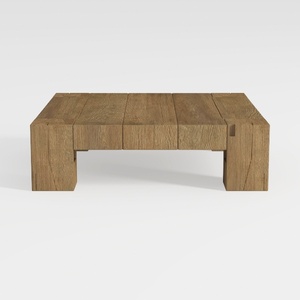
Rustic Solid Oak Wood Coffee Table Minimalist Living Room 3D Model
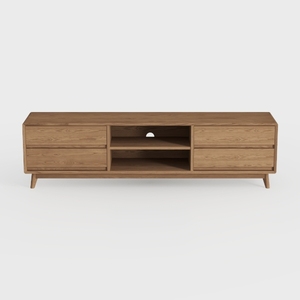
Mid Century Modern Solid Oak TV Stand With Storage Drawers 3D Model
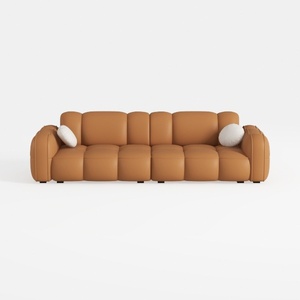

Minimalist Tan Leather Tufted Extra Large Sofa 3D Model
Discover Homestyler, the ultimate online home design platform that offers a user-friendly design tool, stunning 3D renderings, and a wealth of design projects and video tutorials. Transform your living space effortlessly and unleash your creativity like never before!
Design Now for FREE
































