

Creating an efficient compact office space goes beyond just fitting in furniture; it involves carefully managing light, sound, body posture, and workflow to ensure that every inch serves a purpose. The most successful small offices I design perfectly blend appropriately sized furniture, adjustable lighting, and effective noise control, enabling long hours of comfortable productivity with minimal cognitive load.
Research clearly indicates that well-thought-out design directly influences productivity. According to studies by Steelcase, altering posture regularly decreases musculoskeletal strain and enhances concentration. Meanwhile, WELL v2 emphasizes the importance of glare control, lighting quality, and circadian support in maintaining alertness and focus (for detailed guidance, refer to the WELL Light concept). Gensler's workplace research consistently finds that environments rich in choices and clearly defined zones significantly boost task performance. Furthermore, ergonomic findings from Herman Miller connect correct monitor and desk heights to fewer physical complaints and improved work accuracy. I leverage these insights to transform small spaces into functional areas that appear larger and perform effectively. For additional information, check out the WELL v2 Light concept and Gensler's workplace studies.
Make Light Your First Space Multiplier
Lighting plays a crucial role in how spacious and energized a room feels. Aiming for general task illumination of around 300–500 lux on work surfaces aligns with IES guidelines for standard computer activities, while combining ambient and task lighting ensures screens do not dominate brightness levels. For daytime work, keeping color temperatures between 3500–4000K promotes alertness without appearing too harsh, and lowering to 3000K in the evening helps reduce eye strain. Additionally, prevent glare by utilizing matte finishes on monitors, adjusting lamps to cut-off angles, and selecting fabrics that diffuse outside light while preserving views. Positioning desks perpendicular to windows rather than directly facing them helps maintain a harmonious balance of daylight and avoids distracting reflections.
Right-Size the Desk, Then Design Around It
In compact spaces, the scale of furniture is vital. Typically, a desk that is 24–28 inches deep is adequate for a laptop and a monitor on an arm; opt for 30 inches if paper usage or dual displays are part of your workflow. Ensure there is at least 27 inches of clearance in height and 18 inches in depth beneath the desk to adhere to ergonomic standards. Implementing rounded edges or chamfered fronts can help alleviate forearm pressure during extended typing sessions. To optimize difficult layouts, consider using a layout simulation tool like Homestyler to visualize available space, flow paths, and storage access before making a purchase.
Protect Posture with Smart Ergonomics
Prioritizing posture neutrality is key when designing compact office spaces. Select chairs that allow for height, lumbar depth, and armrest width adjustments; maintain elbow angles between 90 and 100 degrees and ensure wrists are aligned. Monitors should be positioned so that their top third is level with eye level; for those who wear progressive lenses, lowering them slightly may be beneficial. Implementing a compact sit-stand desk or riser encourages regular breaks; even standing for 5–8 minutes every hour can help alleviate discomfort, supported by research from Herman Miller and Steelcase regarding movement and focus. Footrests can assist shorter users in maintaining proper thigh support without pressure on the seat edge. It's also essential to include cable management solutions to prevent tripping hazards.
Zone the Room for Noise and Cognitive Flow
Acoustic comfort is often a major concern in smaller spaces. To create a more serene environment, consider laying a thick rug under the desk, installing fabric panels behind the monitor wall, and incorporating book spines and plants to act as sound diffusers. Sealing gaps around doors and opting for solid-core doors instead of hollow-core can significantly enhance sound insulation. When making calls, position the desk slightly to direct speech towards absorbing surfaces rather than reflective walls. Utilizing targeted white noise within the range of 42–48 dBA can effectively mask disruptive sounds; ensure that HVAC vents are not positioned directly across microphone paths to prevent call fatigue.
Storage that Disappears (and Reappears Fast)
Clutter can severely impact the perception of space and mental clarity. I prefer implementing a wall-mounted rail system with adjustable shelves above the desk, combined with a slim mobile pedestal below. Utilizing vertical file pockets for ongoing projects while keeping archival materials out of immediate sight ensures an organized workspace. Striking a balance with a 1:3 ratio of open to closed storage promotes visual breathing room while offering convenient access. Concealed cable channels and magnetic under-desk organizers help maintain a tidy surface without the hassle of searching for chargers.
Color, Contrast, and Visual Rhythm
Understanding color psychology is crucial in managing tight spaces. Light-colored walls with a light reflectance value (LRV) between 60-80 can create an illusion of depth; opting for a ceiling lighter than the walls can enhance height perception. Adding a mid-tone accent behind the monitor reduces contrast and diminishes eye strain. Research from Verywell Mind highlights that low-saturation hues like blues and greens can promote calmness and sustained attention, whereas vibrant reds and oranges are more effective as occasional accent colors for energy. Maintaining a cohesive two- or three-color palette and repeating tones in textiles and storage can help in reducing visual clutter.
Daylight, Plants, and the Micro-Restorative View
Even subtle biophilic design elements, such as placing a tall plant at the edge of your view, can decrease stress and enhance perceived air quality. Ensure lines of sight remain unobstructed to a window or a framed piece of art that provides depth, allowing the brain to interpret distance and relax eye muscles. Positioning plants strategically can help maintain task lighting without casting distracting reflections from screens; choosing matte leaf plants or light-diffusing textures works best near display devices.
Materials: Touch, Acoustics, and Sustainability
In confined areas, every surface counts. Opt for desk laminates with a low gloss finish (≤ 20 GU at 60°) to minimize glare. Acoustic wall panels with a noise reduction coefficient (NRC) between 0.6 and 0.9 are effective at curtailing sound reverberation; even two 2x4 ft panels placed at initial reflection points can create a noticeable difference. Whenever possible, choose FSC-certified wood or recycled PET felt as materials; variations in texture can prevent a flat appearance that detracts from video calls.
Technology Integration Without the Tangle
Equip monitors with adjustable arms offering at least 13 inches of vertical range; conceal a compact docking station underneath the desk lip while directing a single cable for power connectivity. Opt for wireless devices featuring quiet keys for calls. For video reliance, ensure front-lighting is set at 300–500 lux with diffused panels and subtle backlighting to distinguish the subject from the background. Position the webcam slightly above eye level and tilt it downwards to reduce the visible ceiling in the frame.
Flexible Layouts for Hybrid Work
Compact offices often serve dual purposes, such as guest rooms or hobby spaces. Define work zones by placing the desk on a narrow rug, keeping a foldable chair as an alternative, and utilizing a mobile pedestal for seamless transitions between work and leisure. Corner desks can free up floor space while wall-mounted flip-down surfaces create instant standing workstations. Before finalizing any arrangement, map circulation paths and access zones using an interior layout planner to ensure adequate clearances around doors and windows.
Lighting Prescriptions for Tiny Rooms
- Ambient: 150–250 lux, ensuring it is diffuse and indirect to avoid sharp shadows.
- Task: 300–500 lux over the desk; adding a dimmer can assist with late work hours.
- Color temperature: 3500–4000K during the day and 3000K for evening relaxation.
- Glare: angle task lights at 30–45° from the work surface; utilize matte finishes for desktops and monitor edges.
Workflow Anchors That Keep You Moving
A compact workspace doesn’t equate to being inactive. Establish a 'movement loop': sit for concentrated tasks, stand for emails and calls, stretch during file handling, and walk while taking voice notes. Keeping a water carafe within easy reach can encourage quick breaks, while a small whiteboard or pin rail next to the monitor can capture urgent tasks without cluttering the desktop.
Quick Layout Recipes
- Single-wall layout: desk depth of 24–28 inches, lateral clearance of 36 inches, with wall shelves positioned at 54 inches AFF for headroom.
- Corner L: Primary leg measuring 48–60 inches, return leg measuring 36–42 inches for printer or files, placing the monitor in the corner integrated with an arm for centering.
- Window-adjacent: desk placed perpendicular to glazing, maintaining a distance of 24–30 inches from the window wall to mitigate brightness and glare.
FAQ
For accommodating a laptop and a single monitor on an arm, a depth of 24–28 inches is generally sufficient. For larger devices like drawing tablets or dual setups, a depth of 30 inches ensures comfortable access and cable management.
Aim for approximately 300–500 lux on workspace surfaces for computer tasks while ambient lighting should be around 150–250 lux. Maintain daytime color temperatures around 3500–4000K and dim to about 3000K in the evening to alleviate visual fatigue.
To enhance acoustic comfort, implement a dense rug, soft coverings at reflection points, along with mid- to high-NRC panels (ranging from 0.6 to 0.9). Ensure door gaps are sealed and consider a solid-core door if you frequently make calls. Low-level background noise can help in masking transient sounds.
Position the monitor so that the top third aligns with your eye level, ensuring it is at arm's length or slightly closer for smaller devices. Adjust its angle to minimize reflections from windows and task lighting.
Indeed, provided clear cable routing is maintained. Brief standing intervals (5–8 minutes every hour) can help mitigate discomfort and support concentration. A compact riser represents an economical alternative.
Use light, low-saturation neutrals with high light reflectance values (LRV 60–80) to create an illusion of greater space. Implement a slightly darker, low-gloss accent color behind monitors to balance contrast and minimize glare.
Utilize vertical storage solutions, such as wall-mounted rail systems with adjustable shelves, combined with a slim mobile pedestal, ensuring a 1:3 ratio of open and closed storage. Conceal cables using under-desk trays or magnetic channels to maintain a clean look.
Select a task chair having adjustable lumbar support, seat height, and arm width. Seek soft-edged armrests, breathable fabrics, and a compact base to maximize legroom.
Yes, a single tall plant or a couple of medium-sized plants can enhance acoustic comfort and provide a micro-restorative view, advantageous for mental recovery between tasks.
Use painter’s tape to map floor clearances and test various layouts with a room design visualization tool like Homestyler to ensure sufficient legroom and passage space around doors and windows.
Position the webcam slightly above eye level, incorporate a diffused task light in front at 300–500 lux, and add gentle backlighting to distinguish the subject from the background. Avoid overhead lighting that might cast unfavorable shadows.
Incorporate corner desks or wall-mounted fold-down worktops, a mobile pedestal for quick transitions, and a fold-flat guest chair. Define the workspace using a narrow rug to keep traffic areas clear.
Originally incubated at Autodesk, Homestyler has grown into one of the most widely adopted home design platforms in the world, now trusted by over 18 million users. Whether you're a homeowner exploring ideas or a professional designer delivering client-ready renders, Homestyler brings industry-leading 3D technology to your fingertips — no experience required.

Modern Minimalist Beige Fabric Swivel Armchair 3D Model
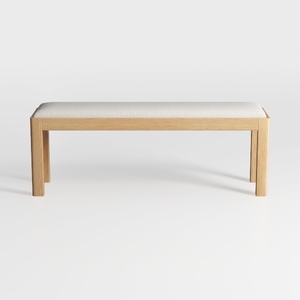
Minimalist Oak Fabric Upholstered Dining Bench 3D Model

Safavieh Home Soleil Natural and White Leather Wov
If you’re looking to transform your space with ease, Homestyler is the ideal online platform for you. Its user-friendly design tool allows you to create stunning 3D renderings, explore diverse design projects, and learn through informative video tutorials. Start designing your dream home today!
Progetta ora GRATIS
































