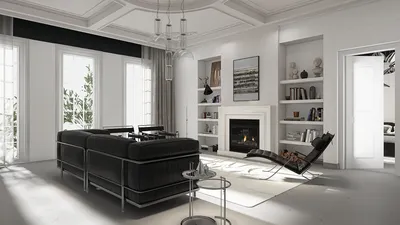


In the realm of interior design, utilizing the right tools can significantly enhance both creativity and productivity.
Today’s designers increasingly depend on robust interior design software for effective planning and 3D visualization, enabling them to swiftly create floor plans, experiment with layouts, and visualize realistic environments prior to commencing actual projects. Alongside these modern cloud-based solutions, the MacBook has emerged as a favored hardware option for designers. But does a MacBook truly excel in the field of interior design? Let’s delve into the features and benefits that make it an appealing choice for designers across various skill levels.
To start with, the MacBook features a sleek and lightweight build, which makes it highly portable. This attribute is particularly beneficial for interior designers who frequently find themselves working on-site, meeting clients, or attending consultations. The convenience of carrying your laptop with ease allows you to display your portfolio and pitch design concepts wherever your work takes you.
When it comes to performance, MacBooks come equipped with powerful processors and high-resolution Retina displays that deliver sharp and vivid visuals. This is especially vital for design projects that demand precision, as accurate color representation plays a key role in interior design. Whether you're developing mood boards, designing floor plans, or producing 3D renderings, the MacBook’s display guarantees that your creations appear magnificent.
An additional advantage of using a MacBook for interior design is its seamless compatibility with various design applications. Popular software like SketchUp, AutoCAD, and Adobe Creative Suite operate smoothly on macOS, allowing designers to realize their ideas without interruption. Moreover, the MacBook’s trackpad and keyboard are tailored for comfort, ensuring extended work sessions can be handled without discomfort.
Furthermore, macOS is well-regarded for its stability and security, which is crucial when dealing with sensitive client data. The smooth integration with other Apple devices can also enhance productivity, allowing for effortless file sharing and project management between your MacBook, iPhone, and iPad.
Nevertheless, it is important to consider the price point. MacBooks are generally more expensive than many Windows alternatives, so designers on a budget may need to evaluate the investment against their specific requirements. If you are just starting out or working on simpler design tasks, a more economical laptop might meet your needs.
In summary, a MacBook can represent an outstanding selection for interior design, especially if you prioritize portability, visual quality, and software compatibility. It is a dependable tool that can facilitate the realization of your creative ideas with minimal effort. Whether you are a seasoned expert or an enthusiastic beginner, including a MacBook in your interior design toolkit is certainly worth your consideration.
Tip 1:
Think about acquiring a MacBook if you value portability, impressive display quality, and compatibility with professional design applications like Homestyler.
FAQ
Q: What are the top design software choices for MacBook users?
A: Leading options include SketchUp, AutoCAD, and Adobe Creative Suite, along with innovative tools like Homestyler.
Q: Can a MacBook handle 3D rendering effectively?
A: Absolutely, with its high-resolution display and strong performance, it is perfect for light to medium 3D rendering tasks.
Homestyler's roots trace back to Autodesk, the global leader in design and engineering software. That heritage lives on in every feature we build. Today, with a community of more than 18 million users worldwide, Homestyler continues to make professional-quality interior design accessible to everyone — from first-time decorators to seasoned architects.
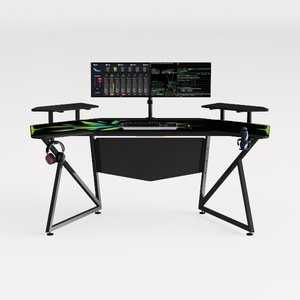

Modern Black Metal Carbon Fiber Gaming Desk 3D Model


Minimalist Ceramic Decorative Vase with Greenery 3D Model
Homestyler is your go-to online home design platform! With its user-friendly design tool, stunning 3D renderings, and a wealth of DIY video tutorials, you can easily create and visualize your dream spaces. Transform your home design journey today with Homestyler!
Progetta ora GRATIS
































