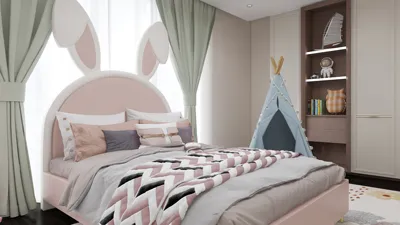


Clip Studio Paint, formerly known as Manga Studio 5, serves as an exceptional platform for comic artists. One of its most impressive features is the seamless integration of 3D models, which allows creators to craft realistic scenes, dynamic poses, and accurate perspectives without the need for traditional sketching methods. Artists can easily import ready-made 3D objects, modify their dimensions, or tweak lighting and camera settings—significantly minimizing the time invested in complex backgrounds and anatomical representations. For comic creators prioritizing both speed and accuracy, the 3D model system enhances storytelling and visualization, making it particularly advantageous for scenes requiring intricate perspectives or repeated environments.
Tips 1:
For designers, incorporating 3D models into your creative process aligns perfectly with the fundamentals of space planning and environmental representation. When constructing interiors or architectural backdrops for your manga panels, it’s beneficial to utilize specialized modeling software beyond typical comic applications; employing tools like a 3D Floor Planner can produce highly detailed spatial designs, which you can reference or integrate to achieve not just artistic flair but also professional-grade precision in your comics. Additionally, solutions like Homestyler can further streamline and enhance your interior design efforts by providing a user-friendly interface for creating intricate layouts.
FAQ
Q: What kinds of 3D models can I find in Clip Studio Paint?
A: The platform offers a variety of basic human figures, furniture, vehicles, and other props, many of which can be customized to suit your needs.
Q: Is it possible to import my own 3D models into Clip Studio Paint?
A: Yes, you can import commonly used 3D file formats (such as OBJ), although some adjustments may be necessary for compatibility.
Q: How do 3D models assist with character posing?
A: The drag-and-drop models act as poseable mannequins, enabling you to easily modify limbs and perspectives for precise character placements.
Q: Can I customize lighting effects on 3D models?
A: Certainly—you have the flexibility to adjust light direction, intensity, and shadow settings to fit the requirements of your comic scenes.
Q: What is a recommended approach to create a complex environment in Clip Studio Paint?
A: You can enhance authenticity and detail by combining multiple 3D props with imported backgrounds or by utilizing external interior design tools before integrating these assets into your artwork.
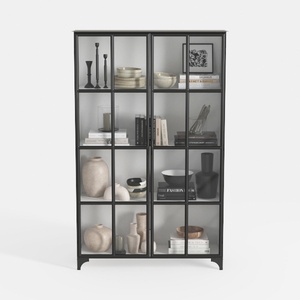
Modern Black Metal Glass Display Cabinet 3D Model
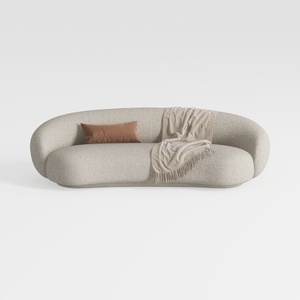

Minimalist Boucle Fabric Curved Sofa With Throw Pillow And Blanket 3D Model

Discover the joy of home design with Homestyler! This user-friendly platform offers an intuitive online design tool, stunning 3D renderings, and a wealth of inspiring design projects and video tutorials. Whether you're a novice or a pro, Homestyler makes it easy to bring your vision to life!
Projete agora para LIVRE
































