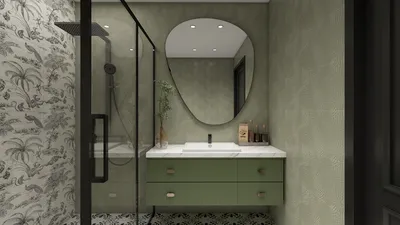


Optimizing your apartment layout using the Homestyler can significantly enhance your living space. Whether you're dealing with a compact studio or a snug one-bedroom, mastering this tool can help you design an area that appears more spacious and highly functional. In this article, I will outline my top tips for utilizing Homestyler effectively.
Tip 1: Start with Precise Measurements
The initial step to efficiently using Homestyler is to gather precise measurements of your area. Be sure to measure the length and width of each room, accounting for windows and doors to prevent any unexpected issues later. Accurate measurements are crucial for maximizing the efficiency of your space.
Tip 2: Use Pre-defined Room Templates
Homestyler offers a variety of pre-defined templates for various types of rooms. Don’t hesitate to begin with these as they can provide an excellent base and inspire your layout decisions. These templates, crafted by design professionals, serve as a beneficial starting point.
Tip 3: Play Around with Furniture Layouts
One of the key advantages of the Homestyler is its adaptability. You can easily drag and drop furniture pieces to explore how different arrangements can enhance functionality and flow within your space. Consider how you navigate the room and how furniture placement can either aid or obstruct that movement.
Tip 4: Prioritize Multi-functional Furniture
In smaller areas, choosing furniture that serves multiple functions is essential. Seek out items like a sofa bed or an ottoman that can also act as storage to optimize your layout and increase utility without overwhelming the space with clutter.
Tip 5: Leverage Vertical Space
When designing with Homestyler, be sure to think vertically. Installing tall shelves and cabinets can free up floor space while providing crucial storage, which makes your apartment feel more open and less cramped. This approach is particularly important in compact living settings.
Tip 6: Factor in Lighting
Effective lighting can dramatically change a small area. Use Homestyler to visualize where natural light flows into your space and adjust your layout accordingly to make the most of it. Thoughtful lighting choices can create an atmosphere that feels larger and more welcoming.
Tip 7: Establish Defined Areas
Even in limited spaces, creating clearly defined zones can boost functionality. Use rugs or strategic furniture placements within Homestyler to outline areas for sleeping, working, and relaxing, cultivating a sense of organization and intention in your design.
Tip 8: Utilize Homestyler's Product Database
Homestyler has an extensive catalog of products, complete with dimensions and specifications. Make use of these resources during your planning to select items that align with your design vision and functional needs, ensuring your layout is both aesthetically pleasing and practical.
Tip 9: Save and Share Your Creations
Once you've finalized your layout, don't forget to save your designs and share them with friends or family for their input. Often, a fresh perspective can provide insightful feedback, helping you fine-tune your layout further.
Tip 10: Adapt as Necessary
Feel free to make adjustments as needed. As you play around with different layouts, you might discover that some arrangements don’t work as you initially thought. Keep experimenting until everything feels right, since flexibility in design often leads to the most rewarding outcomes.
FAQ
Q: What is the best approach to designing a small apartment?
A: The best strategy is to concentrate on multi-functional furniture, capitalize on vertical space, and define distinct areas within your layout to enhance both functionality and comfort.
Homestyler is your go-to online home design platform that makes dreaming up your perfect space easy and fun! With its user-friendly design tool, stunning 3D renderings, diverse design projects, and helpful video tutorials, you can effortlessly transform your ideas into reality—no experience necessary!
تصميم الآن مجانا
































