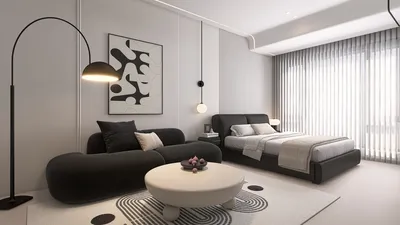


I still chuckle when I recall a client who once requested a nap pod, a ping-pong table, and a petite café all fitted into a 120 sq ft room, while maintaining a professional feel. This close call taught me an invaluable lesson: limitations enhance design rather than hinder it. When redesigning a small office, it's crucial to embrace these constraints and leverage tools like Homestyler to visualize your layout in 3D from the get-go; this approach can save you hours of guesswork and significant costs due to miscalculations.
1. Flexible benching and modular desks
I frequently advocate for adjustable benching systems in compact offices — they effectively accommodate varying team sizes and hybrid work setups. The benefits are evident: flexibility, easier reconfiguration, and cost savings compared to fixed structures; however, some modular elements may seem excessively generic without proper styling.
save pin
2. Layered lighting with task focus
A simple strategy I employ is to combine warm ambient lighting with precise task lamps at each workstation. This pairing enhances comfort and alleviates eye strain, but be mindful of your electrical layout — mid-project circuit additions can inflate costs, so early planning is essential.
save pin
3. Built-in storage that doubles as acoustics
Having navigated many constrained designs, I appreciate storage solutions that help absorb sound — tall cabinets with fabric panels or bookshelves featuring upholstered backs can mitigate noise while concealing clutter. It’s a smart twofold solution, and if you wish to evaluate concepts quickly, utilizing AI-generated layouts via Homestyler can help you narrow down options before finalizing decisions.
save pin
4. Small breakout zones for focused work
A snug booth or a semi-enclosed pod can be a game-changer for productivity within an open small office space. These spots work wonders for maintaining concentration and hosting informal meetings; however, they require adequate ventilation and lighting to ensure comfort throughout the day.
save pin
5. Cable-less tech and optimized desk planning
Eliminating visible cables and organizing monitors, power sources, and docking stations during the initial planning phase gives workspaces a more spacious and professional appearance. I carefully plan cable runs and power locations at the conceptual stage, ensuring installers are well-informed on outlet placements — this is why optimizing desk layouts before purchasing furniture is essential.
save pin
FAQ
Q1: What’s the first step in an office remodel?
Begin by measuring everything and establishing clear priorities: whether it’s storage, collaboration, or privacy. A measured brief is crucial to prevent scope creep and maintain budget clarity.
Q2: How do I improve acoustics in a small office?
Incorporate soft surfaces like rugs and upholstered wall panels, and consider ceiling baffles if noise issues persist. These solutions not only enhance aesthetics but are also budget-friendly when woven into your overall design.
Q3: What budget should I expect for a basic remodel?
Budgets can vary significantly, but for layout revisions, lighting, and moderate millwork, allocate a mid-range budget — unexpected expenses often arise from electrical or HVAC adjustments. I typically advise setting aside a 10-15% contingency for unseen challenges.
Q4: Can open-plan and privacy coexist?
Certainly — blend open benching with enclosed pods or sliding glass partitions to strike a balance between collaboration and focus. This flexible strategy proves effective for many small projects, catering to varying work styles.
Q5: How important is ergonomics?
Extremely important — ergonomic seating, adaptable monitors, and suitable desk heights diminish fatigue and enhance productivity. For regulatory guidelines, review OSHA’s recommendations on workspace ergonomics (https://www.osha.gov/).
Q6: Are plants worth it in offices?
Absolutely — they significantly improve air quality, lower stress levels, and soften acoustics. Choose low-maintenance varieties to avoid daily upkeep.
Q7: How do I future-proof my office?
Focus on flexible furniture, modular technology solutions, and neutral decors that can easily adapt to brand evolution. Investing in such adaptability now will save costly renovations in the future.
Q8: When should I hire a designer?
Engage a designer early, ideally during the initial planning stages, to sidestep expensive changes later on. Early collaboration between your design expert and contractors is key to keeping the project within budget and on schedule.
save pin
Originally incubated at Autodesk, Homestyler has grown into one of the most widely adopted home design platforms in the world, now trusted by over 18 million users. Whether you're a homeowner exploring ideas or a professional designer delivering client-ready renders, Homestyler brings industry-leading 3D technology to your fingertips — no experience required.
Homestyler is your go-to online home design platform! With its user-friendly design tool, stunning 3D renderings, a wealth of inspiring design projects, and helpful video tutorials, you can effortlessly transform your space into a dream home. Get started on your design journey today!
지금 무료로 디자인하세요
































