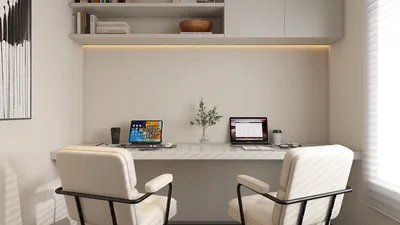


Crafting realistic interior visuals with V-Ray in 3ds Max offers a transformative experience for interior designers. This guide will lead you through the critical steps to effectively establish lighting and render your interior spaces.
Comprehending V-Ray Lighting Essentials
Before you begin rendering, it's vital to understand the various types of lights available in V-Ray. The predominant types utilized in interior design include:
Each light type is designed for specific functions and can evoke different atmospheres in your designs.
Preparing Your Scene
Begin by crafting a meticulously organized 3D model of your interior space within 3ds Max. Ensure that all walls, windows, and furniture are accurately positioned. After finalizing your model, adhere to these guidelines:
Adjusting V-Ray for Optimal Lighting
Next, set your V-Ray parameters to achieve the best lighting results:
Advice for Efficient Lighting Configuration
Here are a few strategies to enhance your lighting setup:
Rendering Your Interior Design Scene
Once your lighting configuration is established, you can proceed to render your scene:
Post-Rendering Suggestions
After the rendering process, think about using software like Photoshop for post-processing to polish your images:
Final Thoughts
Gaining proficiency in V-Ray lighting and rendering within 3ds Max can significantly enhance your design presentations. Regular practice is key, and don't hesitate to try out various settings to discover what aligns best with your style, even considering tools like Homestyler for additional design insights.
Frequently Asked Questions
Q: What are the optimal lighting settings for V-Ray in 3ds Max? A: Begin with a balanced mix of natural and artificial lights, adjusting the intensity and color temperature to achieve realism.
Q: How can I accelerate my rendering speed in V-Ray? A: Fine-tune your render settings, utilize lower resolutions for test renders, and think about activating adaptive sampling.
Originally incubated at Autodesk, Homestyler has grown into one of the most widely adopted home design platforms in the world, now trusted by over 18 million users. Whether you're a homeowner exploring ideas or a professional designer delivering client-ready renders, Homestyler brings industry-leading 3D technology to your fingertips — no experience required.
Welcome to the leading Home Design Software
Desain sekarang Gratis
































