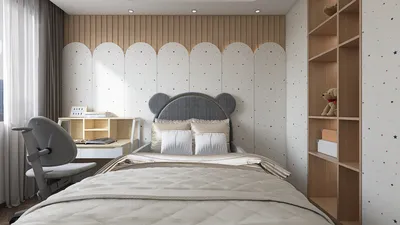


Mastering the art of creating textured wraps for 3D modeling can significantly enhance your designs, consequently boosting their realism. Regardless of whether you're dealing with cylindrical shapes or more intricate forms, learning this essential technique is crucial for every 3D artist. This detailed guide will provide you with the necessary steps and considerations to perfect your textured wrapping, utilizing tools like Homestyler for added effectiveness.
First and foremost, it’s important to have a foundational grasp of UV mapping, as it serves as the basis for this process. UV mapping refers to the method of projecting a 2D image texture onto the surface of a 3D model, offering a blueprint for how textures will be applied effectively.
Understanding UV Mapping
UV mapping consists of unfolding your 3D model’s surface into a 2D layout. This crucial step is what ensures your texture aligns with the features of the model, resulting in a realistic and visually engaging appearance. Take your time to fine-tune the UV layout for the best results, as even minor misalignments can create major issues later in the process.
In software such as Blender or Maya, you can utilize UV mapping tools that streamline this task. Explore features like the UV editor to manipulate UV islands—scaling, moving, and rotating them to achieve your preferred texture layout. Patience in this step pays off, as a carefully crafted UV map can spare you frustrating corrections down the line.
Effectively Applying Textures
Once your UV map is complete, select the right texture for your model. Opt for images that elevate the overall look and feel of your object. For a comprehensive wrap around, such as wood grain or fabric patterns, ensure that the texture tiles seamlessly, as visible seams can disrupt immersion.
When applying textures, use the texture coordinate settings to dictate how the texture behaves on your model. This can be modified in the material properties section of your 3D software. Experimenting with scaling and rotation can help realize the desired aesthetic. Additionally, layering various textures may yield unique effects that enhance realism further, especially when utilizing platforms like Homestyler.
Enhancing Realism in Textures
After successfully wrapping your texture, consider fine-tuning the material settings for heightened quality. Incorporating bump maps or normal maps can greatly enrich the texture's depth, rendering realistic surface variations that reflect light more naturally.
It’s crucial to test how your model appears under different lighting conditions, as this can significantly influence the perception of the texture. Textures can behave unpredictably at times, producing highlights or shadows that may not appear right; therefore, some adjustments might be necessary to ensure an optimal final render.
Extra Tips for Successful Texture Wrapping
1. **Reference Real-World Textures:** Keep real-life textures at hand for improved accuracy. 2. **Play with Texture Scale:** The scale of your texture can drastically affect how your model is perceived, so adjust it based on the size of your model. 3. **Solicit Feedback:** Engaging peers for feedback during your texture application process can refine and enhance your techniques.
FAQ
Q: Which software is best suited for 3D texture wrapping? A: Blender, Maya, and 3ds Max are widely regarded as top choices among 3D artists for this purpose.
Q: How can I achieve seamless textures for wrapping? A: Utilize image editing software like Photoshop to tile textures, eliminating visible edges through cloning or blending techniques.
Q: In what ways does lighting influence my textures? A: Lighting can dramatically alter how textures appear, making it essential to preview them under varying light conditions to ensure consistency.
Q: What resources can help me improve my texture mapping skills? A: Online tutorials, forums, and instructional videos from seasoned artists in the 3D modeling community can offer invaluable insights and tips.



Homestyler is your go-to online home design platform! With its intuitive design tool, stunning 3D renderings, and a wealth of design projects and DIY video tutorials, you can effortlessly transform your decor ideas into reality. Perfect for both novices and pros!
Zaprojektuj teraz za darmo
































