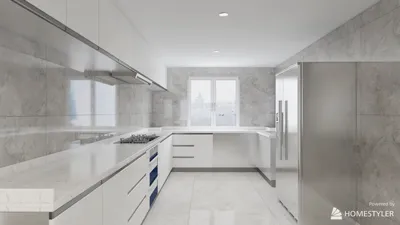


Mastering the art of painting textures for 3D models can elevate your designs from mundane to mesmerizing! Texturing plays a vital role in 3D modeling, infusing your creations with depth, authenticity, and character.
To effectively paint textures, it's important to first familiarize yourself with the foundational materials you will use. Whether you're crafting a charming rustic cabin or a sophisticated contemporary office, each surface demands a tailored texturing strategy. Here’s where your creative intuition can really shine!
Selecting the Ideal Tools:
When it comes to choosing tools for texture painting, you have numerous options at your disposal. Here are some of the most popular ones:
The choice of tool ultimately depends on your comfort with them and the complexity of your project. Do you have a preferred tool that you can’t live without? Share your thoughts in the comments below!
Grasping Texture Mapping:
Before initiating painting, it’s crucial to comprehend the concept of texture mapping. This technique involves enveloping your 2D artwork around a 3D model. Utilizing UV mapping can lead to more accurate applications, have you tried it yet? If not, it’s an area worth delving into!
UV unwrapping is essential as it provides a clear visualization of how your texture will fit on the model. You must ensure that every aspect aligns flawlessly with the features of the model.
Techniques for Painting:
With your tools ready and your model unwrapped, you're set to begin painting! Here are some techniques to explore:
Base Layer: Start with a robust base color that signifies your primary material; think of it as your initial canvas.
Layering: Gradually build textures through multiple layers, incorporating details like scratches, age, or unique patterns.
Blending: Make use of various brushes and opacity settings to merge different elements seamlessly, achieving a cohesive appearance.
Normal Maps: For added dimension, consider crafting normal maps that emulate minor surface details without the need for excess geometry.
Finalizing Your Texture:
Once you finish painting, take a moment to assess your texture under various lighting conditions and angles to guarantee it appears appealing from all viewpoints. Don’t forget to tweak contrast, brightness, and saturation as needed.
Are you enthusiastic about bringing your 3D models to life through texture painting? We’d love to hear about your design goals in the comments—what will be your masterpiece? And if you haven’t explored tools like Homestyler yet, now might be the perfect time to start!
Frequently Asked Questions
The optimal tools consist of digital painting applications such as Photoshop, 3D painting software like Substance Painter, and game engines like Unity.
Understanding UV mapping is essential as it enables the precise application of your 2D artwork onto the 3D model, ensuring coherent detail alignment.


Looking to design your dream home? Homestyler is your go-to online platform, offering an easy-to-use design tool and stunning 3D renderings. With a plethora of inspiring design projects and helpful DIY video tutorials, creating beautiful interiors has never been simpler or more enjoyable!
Design Now for FREE
































