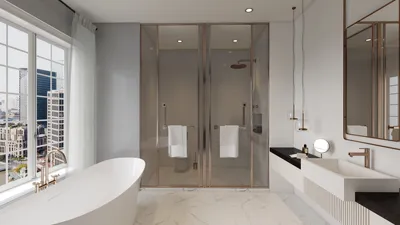


Elevating visual storytelling in design often hinges on mastering the art of importing textures into 3D models. Whether you're working on an intimate space or a vast landscape, choosing the right textures can immensely enhance your project. Let’s simplify the import process into clear steps!
Understanding the Role of Textures:
Textures are essentially images that are mapped onto the surfaces of 3D models to create a realistic appearance. Different types like diffuse, normal, and specular maps play various roles. Selecting the right kind of texture is crucial for achieving the desired outcome.
Step-by-Step Guide to Importing Textures:
1. **Select Your Textures**: Start with high-resolution textures. Platforms like Texture Haven and Unsplash offer a variety of free textures that are commercially usable. Are you thinking about textures like wood, fabric, or brick?
2. **Launch Your 3D Software**: Open your chosen 3D modeling application, such as Blender or 3ds Max, and prepare your model for texturing.
3. **Importing Textures**: Go to the material editor in your software. Bring in your chosen texture by selecting the image or file icon for import.
4. **Adjust Texture Settings**: Post-import, fine-tune settings such as scale and tiling to seamlessly fit the texture to your model. Experiment here—what kind of changes do you notice?
5. **Preview and Refine**: Use the preview function to see how your model looks with the new texture. Adjust the colors or contrast as required to create the effect you envision.
Best Practices for Effective Texturing:
Before applying your textures, ensure the UV maps are correctly formatted. This essential step can save a lot of time and headaches. Have you encountered difficulties with UV mapping before?
Conclusion:
Importing textures into your 3D models can be a smooth process. With ongoing practice and experimentation, you'll soon be able to animate your designs stylishly and with precision! Utilizing tools like Homestyler can also streamline this experience, enabling you to visualize your ideas more effectively.
FAQ
Q: What file formats are acceptable for textures in 3D modeling? A: The most prevalent formats include JPEG, PNG, and TIFF. Choose one that best fits your project's specifications.
Q: Is it possible to create custom textures? A: Absolutely! You can capture images of materials in your environment or use design software to develop unique textures.


Homestyler is your go-to online home design platform! It features an easy-to-use design tool, stunning 3D renderings, and a wealth of design projects alongside helpful video tutorials. Transform your space creatively and effortlessly, regardless of your experience level!
تصميم الآن مجانا
































