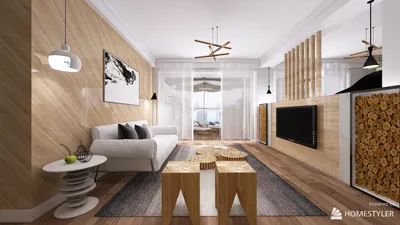


At the core of contemporary interior design, product engineering, and architecture lies solid modeling software. These robust applications empower both professionals and enthusiasts to develop accurate, three-dimensional models of actual objects and spaces. With solid modeling, it becomes simple to envision concepts, evaluate proportions, and explore textures and lighting—long before any tangible work commences.
Widely acclaimed solid modeling tools, such as Autodesk Fusion 360, SolidWorks, and Rhino, are popular in both mechanical and architectural design. They boast comprehensive feature sets that include parametric modeling, real-time rendering, and advanced simulation capabilities. For those focusing on home design, user-centric platforms, such as Homestyler, now offer intuitive drag-and-drop interfaces that facilitate solid modeling for rooms, furniture, and entire floor plans.
From a designer's viewpoint, the precision and detailed visualization provided by solid modeling software significantly enhance the entire design workflow. For instance, when planning residential interiors, the ability to construct and manipulate 3D components like walls, flooring, and cabinetry enables improved decision-making regarding both aesthetic value and functional movement.
For those in search of an intuitive yet professional-grade experience, there are now online platforms that allow users to create and edit a 3D floor plan right from their browsers. This is especially beneficial for designers, like myself, who must iterate ideas quickly, demonstrate realistic visuals to clients, and collaborate across various disciplines without grappling with the complexity often associated with traditional engineering tools. As technology in design continues to advance, accessible solid modeling solutions, including Homestyler, are becoming invaluable for anyone eager to craft stunning and practical interiors.
Tips 1:
Before embarking on a solid modeling project, it's beneficial to sketch your concepts and collect reference materials. This preparation streamlines your process and ensures your digital model reflects your original vision. Consider dividing your model into well-defined layers—such as structure, fixtures, and décor—to enhance efficiency in editing and rendering.
FAQ
Q: What is solid modeling software?
A: Solid modeling software allows users to generate intricate, three-dimensional models of physical objects or environments, commonly utilized in fields like interior design, engineering, and architecture.
Q: Which sectors predominantly use solid modeling tools?
A: Solid modeling is vital in architecture, interior design, mechanical engineering, industrial design, and even gaming developments.
Q: Is 3D visualization critical in solid modeling for interior design?
A: Absolutely, precise 3D visualization helps designers comprehend how elements interact in a space, optimizing aesthetics and functionality.
Q: Are there online alternatives for solid modeling instead of conventional desktop applications?
A: Definitely. There are numerous web-based platforms that provide robust 3D modeling functionalities, enhancing accessibility and collaborative opportunities.
Q: How do solid modeling tools enhance the design process?
A: They accelerate iteration, foster collaborative efforts, minimize errors in implementation, and enrich client presentations with realistic visuals.
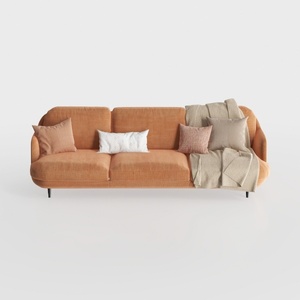

Modern Minimalist Orange Fabric Three Seater Sofa With Throw Pillows 3D Model
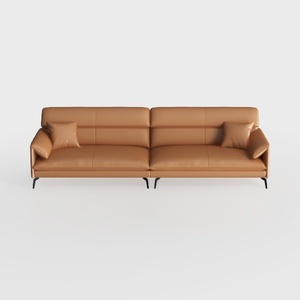
Modern Minimalist Tan Leather Living Room Sofa 3D Model
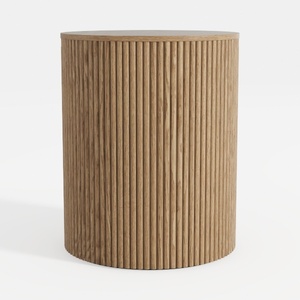
Minimalist Fluted Oak Round Side Table 3D Model
Discover your dream space with Homestyler! This user-friendly online platform offers an innovative design tool, stunning 3D renderings, and a wealth of design projects and video tutorials. Transform your ideas into reality and elevate your home décor effortlessly—perfect for both beginners and seasoned designers!
تصميم الآن مجانا
































