

Achieving the correct scale in 3D modeling is vital for crafting realistic and precise representations. Whether you're working on a cozy interior space or an expansive architectural design, ensuring proper scaling allows your models to function and fit as intended. Utilizing tools like Homestyler can greatly assist in this process.
Understanding the Fundamentals of Scale in 3D Models
Scaling is the process of adjusting the dimensions of your 3D objects. In the realm of 3D modeling, it is crucial to maintain accuracy and consistency to avoid unrealistic proportions. Start by establishing a scale reference using standard measurements like feet or meters. For example, while modeling furniture, ensure that a chair is appropriately sized in relation to an average human figure.
Most 3D modeling applications, including Homestyler, allow you to define your unit preferences, which is an essential initial step. Deciding whether to work in metric or imperial units can prevent future complications. Always verify your settings before launching into your project, as overlooking this can result in significant errors that hinder your modeling experience and distort the final results.
Utilizing Reference Images to Ensure Scale Accuracy
A practical strategy for maintaining proper scale is to incorporate reference images. Seek out images of the items or environments you are designing, as they offer a real-world benchmark for comparison. Position these references in your workspace to help gauge dimensions accurately. This hands-on method enhances your vision of the finished product and ensures that your scaled items align well with expected proportions.
Keep in mind that your scaling requirements may vary depending on your project. A small or conceptual model will necessitate different scaling adjustments compared to a life-sized version. Be prepared to modify your approach and regularly test proportions throughout the creation process. Continuous assessment allows for timely corrections before finalizing your design, ensuring it meets your client's expectations.
Testing and Modifying Scale in Your 3D Model
After setting your initial scale, it’s essential to test your model. Many software tools, including Homestyler, offer features that let you view your model against other objects or environments. Leverage this functionality to pinpoint any scaling issues. Conducting a comprehensive review during this phase can help you circumvent larger problems later on.
Should you spot any discrepancies, don’t hesitate to make adjustments. Resizing—whether increasing or decreasing—can typically be executed swiftly; however, always compare to ensure that your modifications are logical. It's advisable to frequently revisit your scaling measurements, especially as you incorporate new elements into your design scene.
Frequently Asked Questions
Q: What is the most effective method for ensuring accurate scaling? A: The most effective strategy is to utilize a reference scale, check your unit preferences in your software, and consistently compare your model with real-world dimensions.
Q: Is it possible to automate the scaling process? A: Absolutely, many 3D modeling applications feature tools that allow you to establish scaling rules or automatically apply scaling proportions to your models.
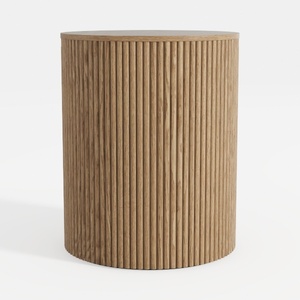
Minimalist Fluted Oak Round Side Table 3D Model
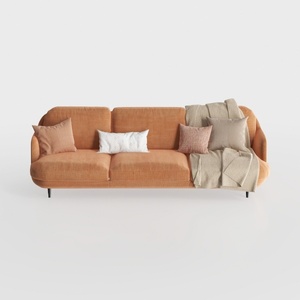

Modern Minimalist Orange Fabric Three Seater Sofa With Throw Pillows 3D Model
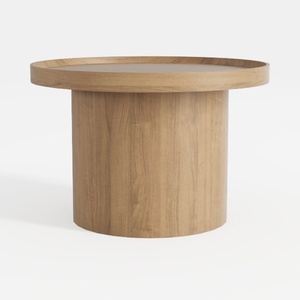
Minimalist Solid Oak Round Coffee Table 3D Model
Homestyler is an exceptional online home design platform that empowers you to create stunning interiors effortlessly. Its user-friendly design tool, realistic 3D rendering, diverse design projects, and engaging video tutorials make it ideal for both novices and seasoned designers. Transform your space today!
Diseño ahora GRATIS
































