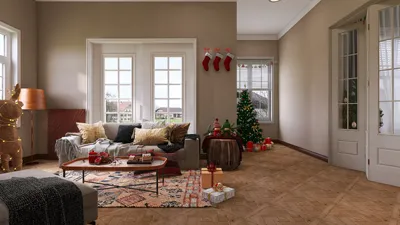


Transforming your 3D model into an impressive image perspective using Rhino is essential for effectively presenting your designs. Whether your focus is on a compact project or a sprawling architectural endeavor, mastering the art of rendering can significantly elevate your work. Below is a concise guide to assist you in this process.
Fundamentals of Rendering in Rhino
Before embarking on your rendering journey, it’s crucial to grasp the fundamental components at play. Rendering in Rhino entails turning your 3D model into a 2D image imbued with realistic lighting, colors, and textures. Begin by ensuring your model is pristine and organized. Eliminate any superfluous elements to facilitate a smoother rendering experience.
Preparing Your Scene for Rendering
With your model primed, it's time to configure your scene. Start by selecting an appropriate viewpoint. For the ideal perspective, navigate to the ‘Viewport’ section and pick a camera angle that most accurately showcases your design. The perspective you choose will greatly impact the viewer's perception of your work.
Modifying Rendering Settings
The caliber of your rendered image is significantly influenced by the settings you select. In Rhino, access the ‘Render’ menu to delve into the available rendering options. Adjust factors like resolution, quality, and lighting. Don’t forget to activate shadows for a more lifelike appearance. Additionally, consider incorporating HDRI images to enrich the lighting and reflections in your composition.
Rendering Your Final Image
Once you're set, proceed to render your image. Hit the ‘Render’ button, and Rhino will begin processing the scene according to your configurations. Depending on the intricacy of your model and the quality of rendering chosen, this could take a bit of time. After rendering, save your image in your preferred format, and you're all set!
Enhancing Your Rendering Experience
1. Experiment with varying lighting setups to observe their impact on your design.
2. Utilize materials thoughtfully; realistic textures can significantly boost the overall aesthetic.
3. Don't shy away from exploring different angles; often, a fresh perspective can unveil new facets of your design.
Frequently Asked Questions
Q: How can I enhance my rendering quality in Rhino? A: To elevate your rendering quality, experiment with higher resolution settings, apply realistic materials and lighting, and verify that your model is highly detailed.
Q: What strategies can I use to expedite the rendering process in Rhino? A: Streamline your model by stripping away unnecessary details, utilize simpler materials when feasible, and temporarily decrease the rendering quality during the design stage.
Q: How can I achieve the best rendering outcomes with tools like Homestyler? A: Utilizing platforms like Homestyler can significantly aid in envisioning your design's layout and help in setting the right scene for rendering in Rhino.


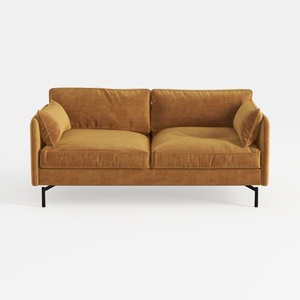
Corduroy High Resilience Sofa with 2 Pillows,57.9
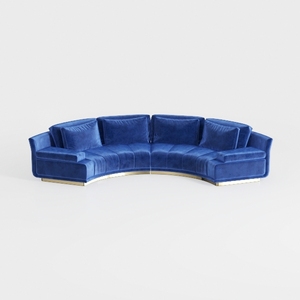
Legend Furniture Modular Sofa for Living Room Velv
Homestyler is your go-to online home design platform that makes envisioning your dream space a breeze! With its user-friendly design tool, stunning 3D renderings, and a treasure trove of DIY video tutorials, you can effortlessly explore and create beautiful interiors. Transform your ideas into reality today!
Design Now for FREE
































