

Crafting a lifelike ice 3D model within Blender requires a harmonious blend of precise modeling, finely-tuned materials, and careful lighting techniques. Begin by shaping your basic ice form either using a cube or a more organic design through sculpting tools or modifiers like Subdivision Surface. For true-to-life results, pay particular attention to the material node configuration in either the Cycles or Eevee render engines; remember, ice is not merely transparent—it shows intricate refraction, internal reflections, varying roughness, and degrees of glossiness. The use of the Principled BSDF shader is essential; set the Transmission to 1.0, Roughness to a range of 0.05-0.2 for wet ice, and an Index of Refraction (IOR) around 1.31, closely mimicking real ice. Consider adding a soft blue tint to simulate the natural absorption of warm light tones. Enhance detail by employing bump or normal maps to depict cracks and a frosty texture on the ice's surface.
Equally important is lighting. Utilizing High Dynamic Range Images (HDRI) for environmental illumination can yield authentic reflections and a boost in realism. Situation your ice model on a simple surface to foster shadow interplay, and integrate area lights for clear highlights—characteristic of real ice. For an added layer of realism, delve into subsurface scattering nodes to create a subtle, milky transparency within the ice. After finalizing your model, ensure you render it at a high sample rate to diminish noise, particularly in the transparent segments.
As a designer, I always utilize various 3D visualization tools to refine my projects—especially when working with realistic materials like ice. Depending on the specific demands of your workflow, leveraging a 3D Render Home solution like Homestyler can optimize your material testing and photorealistic rendering processes, providing you with versatile scene lighting adjustments and a vast library of assets ideal for professional interior visualizations.
Tips for Success:
Try different camera angles and zoom levels to capture the light refractions and caustics as they pass through your ice model; minor adjustments can significantly elevate the perceived realism. Always use reference images to evaluate your results against authentic ice observed under comparable lighting conditions.
Frequently Asked Questions
Q: Which shader is optimal for creating ice in Blender?
A: The Principled BSDF shader in Blender, configured with complete Transmission and an IOR around 1.31, is the ideal choice for realistic ice simulation. Fine-tune Roughness and utilize bump maps for added texture detail.
Q: How can I incorporate detailed cracks and bubbles inside the ice model?
A: Employ procedural noise textures or image textures as bump/displacement maps, and introduce internal geometry with mesh objects or utilize volumes coupled with a low-density shading node.
Q: Which render engine is preferable for achieving realistic ice—Cycles or Eevee?
A: Cycles is generally preferred for its superior handling of light transmission, refraction, and caustics necessary for realistic ice. While Eevee can serve for previews, it may fall short of delivering photorealistic results.
Q: Why does my rendered ice appear overly plastic or glassy?
A: This effect occurs when Roughness and Subsurface Scattering are not properly balanced. Slightly increase Roughness and consider subtle color tinting. Adjust your lighting setup to prevent excessively sharp reflections.
Q: How significant is lighting when modeling ice in 3D?
A: Lighting is vital—ice's visual appeal is heavily influenced by its ability to refract and reflect light. Employ HDRI and strategically positioned area lights to gain natural highlights and gentle shadows.

Sectional with Ottoman Storage, L Shaped Sofa
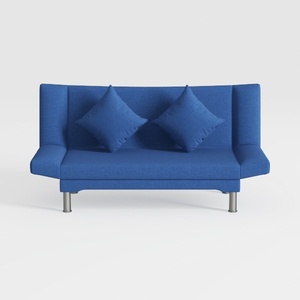
Shintenchi Futon Sofa Bed, Convertible Couch Beds

ROVE LAB M1 Modular Sectional Sofa with Ottoman, S
Discover your inner designer with Homestyler! This user-friendly online platform offers a powerful design tool, stunning 3D renderings, and a wealth of DIY video tutorials. Bring your vision to life and explore endless interior decoration possibilities—all in one place!
Design jetzt kostenlos
































