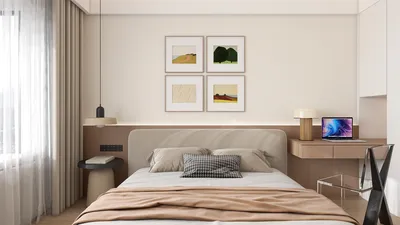


Designing a floor plan can be an exhilarating task, especially when you aim to create a more intricate design with multiple levels. Regardless of whether you're conceptualizing a multi-story building or a straightforward home featuring an upper floor, mastering the addition of levels in a floor plan creator application is crucial. This guide will lead you through the necessary steps to successfully incorporate levels into your floor plan, enhancing both functionality and aesthetic appeal using tools like Homestyler.
Grasping the Fundamentals of Floor Plan Levels
Prior to diving into the process, it’s vital to grasp the concept of levels within a floor plan. Levels represent the distinct floors or layers of a structure. Each level can possess its own layout, and integrating them skillfully can significantly uplift the overall design. Imagine it as stacking building blocks; every layer contributes depth and character to your living area.
Procedure for Incorporating Levels in a Floor Plan Creator App
To add levels in your chosen floor plan creator app, adhere to these straightforward steps:
1. **Launch the Application**: Begin by opening your preferred floor plan creator app. For those still searching, consider exploring Homestyler for an intuitive design experience.
2. **Choose Your Base Level**: Start with the foundational level of your layout. Sketch out the design according to your vision.
3. **Introduce a New Level**: Find the feature to add a new floor or level. This may be indicated by a '+' icon or an 'Add Level' button.
4. **Design the New Level**: After adding the new level, you can begin designing it. Utilize the same tools available for the base level to outline walls, windows, and doors.
5. **Connect the Levels**: Ensure there are means for movement between levels, like stairs or an elevator, both of which can be crafted within the app.
6. **Save Your Progress**: Remember to save your updates! This preserves your efforts and ensures no progress is lost.
Best Practices for Successful Multi-Level Designs
Keep these strategies in mind when developing multi-level designs:
- **Evaluate Flow**: Make certain that the layout promotes easy navigation between levels.
- **Maintain Consistent Design Elements**: Achieve a coherent design by employing similar materials and colors throughout different levels.
- **Optimize Natural Light**: Position windows and openings strategically to facilitate light distribution across each level.
- **Contemplate Elevation**: Integrate varying heights to create visual appeal and functional areas.
Frequently Asked Questions
**Q: Is it possible to add several levels in one project?** A: Absolutely, most floor plan creator applications, including Homestyler, allow the addition of multiple levels within a single project.
**Q: Are there particular tools for adding levels?** A: Indeed, look for 'Add Level' or 'Insert Floor' options in the toolbar of your app.
Welcome to the Leading Floor Plan Creator
What began as an Autodesk innovation has evolved into a design platform used by more than 18 million people around the globe. Homestyler combines powerful rendering, an intuitive editor, and a vast furniture library to help you turn inspiration into photorealistic designs — whether you're redesigning a single room or planning an entire home.
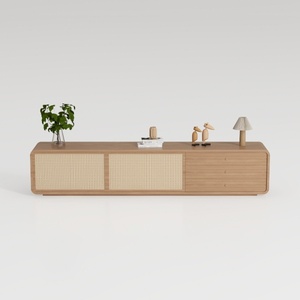
Minimalist Japandi Oak Rattan TV Cabinet 3D Model

Modern Black Oak Arched Glass Display Cabinet 3D Model
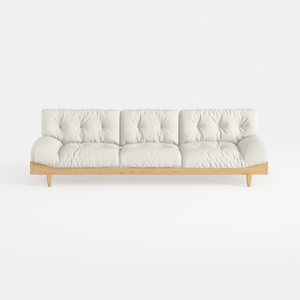

Minimalist Solid Wood White Leather Tufted Sofa 3D Model
Discover the ease of home design with Homestyler! This exceptional online platform features a user-friendly design tool, stunning 3D renderings, and a wealth of design projects and video tutorials. Perfect for both beginners and seasoned DIYers looking to elevate their space effortlessly!
تصميم الآن مجانا
































