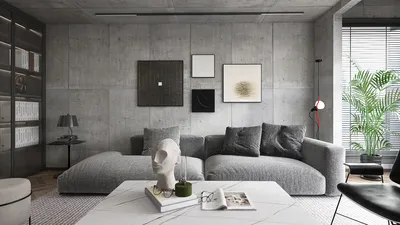


Mastering the art of drawing light rays is an essential skill that enhances the depth, realism, and overall atmosphere of any artistic piece. Light rays that extend through windows, brighten foggy environments, or highlight main subjects can drastically shape how viewers perceive space and emotion in artworks. To effectively harness this technique, start by observing how light operates in various natural environments – note its direction, intensity, and interaction with surfaces and airborne particles. When beginning to sketch, implement gentle lines or soft brushwork to illustrate the primary path of each ray. Techniques like gradation, blending, and varying layer transparency are instrumental in achieving smooth transitions from light to shadow. For digital artists, utilizing blending modes such as ‘Screen’ or ‘Add’ can yield impressive ray effects, while traditional artists often rely on smudging or erasing for a more discreet fade. Personally, I find that composing light rays mirrors the planning of room illumination—considering the anticipated light sources, their intensity, and how they shape the environment. For those looking to incorporate these effects into interior designs or visualizations, leveraging tools like Homestyler can significantly enhance the understanding of how light rays interact with architectural elements, especially when visualizing natural sunlight entering a residence. This allows for the creation of photorealistic renderings that capture the essence of light effortlessly.
Tips 1:
Experimenting with various brush opacities and softness settings is crucial. Whether you're working digitally or traditionally, start with a low opacity for the light rays and cautiously increase the intensity where necessary for a more lifelike shimmer. Overlaying multiple layers can foster a sense of depth; remember, sometimes less is more when it comes to crafting authentic-looking rays.
FAQ
Q: What are the optimal tools for digitally creating light rays?
A: Utilizing soft airbrushes along with blending modes like ‘Screen’ in software such as Photoshop or Procreate can be highly effective. Layer masks combined with gradual changes in opacity contribute to realistic ray effects.
Q: How can I enhance the realism of light rays in my drawings?
A: Pay attention to subtlety – light rays should seamlessly blend into their surroundings. Analyzing reference images can help you replicate how light diffuses and interacts with particles and surfaces.
Q: Is it possible to create light ray effects in 3D interior renderings?
A: Definitely. Utilize rendering platforms that provide advanced lighting controls and environmental effects; such platforms facilitate the realistic simulation of rays within virtual environments.
Q: What impact do light sources have on the direction of light rays?
A: Light rays emanate outward from their source in straight lines unless refracted or reflected. Accurately positioning your light sources is vital for achieving believable effects.
Q: How does atmosphere (like mist or dust) contribute to visualizing light rays?
A: Atmospheric components scatter light, rendering rays visible. Incorporating gentle gradients and layered transparency can replicate this effect effectively in both drawings and renders.


Homestyler is your go-to online home design platform, perfect for both beginners and seasoned designers. With its user-friendly design tool, stunning 3D rendering, and comprehensive interior decoration projects, along with engaging DIY video tutorials, transforming your space has never been easier or more inspiring!
立即免费设计
































