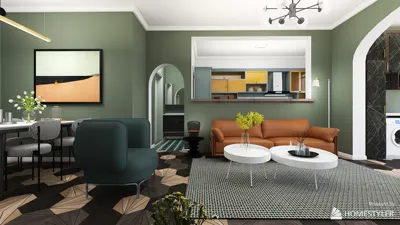


Isometric interior rendering serves as a fascinating method to showcase spaces, merging aesthetic creativity with functional design. Distinct from conventional perspectives, isometric views offer a unique representation of interiors, emphasizing every element accurately without any distortion. This approach is particularly beneficial for illustrating compact areas, maximizing the visual appeal of design features. This article delves into vital techniques and strategies for crafting remarkable isometric interior renders that can enhance your design portfolio with the help of Homestyler tools.
Exploring Isometric Design Principles
Isometric design encompasses a three-dimensional depiction of objects where the three axes are uniformly scaled. This methodology eliminates perspective distortion typical in standard renderings, enabling clearer visual communication. Applied to interior design, it effectively conveys layout and functionality while maintaining aesthetic integrity.
Essential Tools for Isometric Rendering
To produce isometric renders, having the right tools is crucial. Some popular software options include Homestyler, which offers user-friendly interfaces, and other various programs designed for creating isometric visuals.
Key Techniques for Creating Effective Isometric Renders
To amplify the impact of your isometric interior renders, consider implementing the following techniques:
Typical Challenges in Isometric Rendering
Despite the numerous advantages, isometric rendering also poses certain challenges:
Final Touches and Presentation Strategies
Once you’ve completed your isometric render, enhance your presentation with these tips:
Frequently Asked Questions
A: The primary advantage is the clear representation of layout and design elements without perspective distortion, simplifying the understanding of spatial relationships.
A: Indeed, platforms such as Homestyler and others like Blender and SketchUp offer free versions that allow for the creation of high-quality isometric renders.
A: When choosing software, take into account your specific needs, including usability, features, and how well it integrates with your existing workflow.
Welcome to the premier Home Design Software!
Projete agora para LIVRE
































