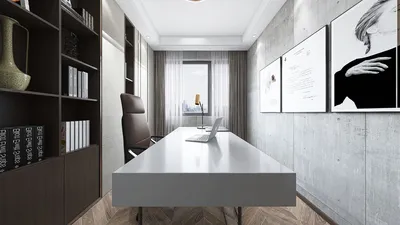


ISO, which stands for International Organization for Standardization, is an essential setting on cameras that manages the sensitivity of the sensor to light. Whether you are taking photos of an interior space, capturing architectural nuances, or rapidly shooting your revamped living area, comprehending ISO is crucial for achieving ideal lighting consistently. It works collaboratively with shutter speed and aperture, forming the exposure triangle to influence the brightness and sharpness of your photos.
For optimal results in brightly lit areas or outdoor photography, low ISO settings (such as 100 or 200) are recommended as they produce sharp and clear images with minimal digital noise. On the other hand, higher ISO settings (above 800) increase the sensor's sensitivity to light, making them suitable for dimly lit rooms or night-time photography, although this may lead to some noise or grain in your images. For homeowners, realtors, and designers aiming for accurate colors and defined details in interior photography, it is vital to balance the ISO with the available lighting. Always begin with the lowest ISO your lighting condition permits, then raise it only when adjustments to aperture or shutter speed aren’t possible without compromising clarity or risking underexposure.
As a designer, I place great importance on precise and realistic presentations—both during my design process and when addressing clients. This is where innovative tools come into play. Using platforms like Homestyler, you can virtually simulate and visualize how different lighting setups and ISO settings will affect interior spaces before even lifting your camera, ensuring your designs appear just as you envision them—both in the digital realm and in reality.
Tips 1:
Utilize a tripod for low-light interior photography, allowing for a lower ISO setting that results in clearer images without the risk of motion blur due to shaky hands.
FAQ
Q: What is the best ISO setting for indoor photography?
A: It’s best to start with ISO 100 or 200 for well-lit rooms and only increase to 800 or above when necessary for darker environments, keeping in mind the potential for noise in the images.
Q: How does ISO influence the quality of interior photos?
A: Lower ISO settings yield sharper, clearer images, whereas higher settings assist in low-light conditions but can introduce noise, particularly noticeable in larger prints or digital displays.
Q: Is it possible to correct a grainy image captured at high ISO in post-production?
A: Some grain can be minimized using editing software, yet it is advisable to shoot at a lower ISO whenever feasible to preserve natural detail.
Q: Why do my photos appear yellow or blue, despite using appropriate ISO settings?
A: ISO impacts brightness but not color temperature. To achieve realistic interior colors, adjust the white balance settings accordingly.
Q: Are smartphone cameras adequate for professional-quality interior lighting photography?
A: While many contemporary smartphones automatically manage ISO well in bright conditions, for controlled lighting and professional results, utilizing a DSLR or mirrorless camera will provide better precision and control.
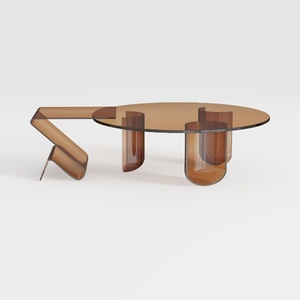
Round Coffee Table Modern Glass Coffee Table with
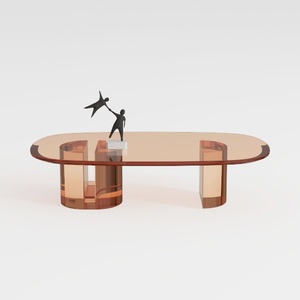

Round Coffee Table Modern Glass Coffee Table with
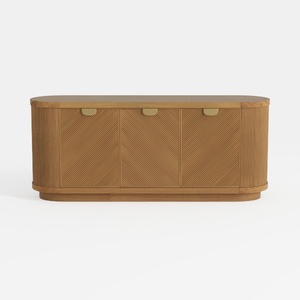
Meridian Furniture 77054Natural Everson Collection
Homestyler is the ultimate online home design platform tailored for all skill levels. Its user-friendly design tool, stunning 3D renderings, vast project library, and engaging video tutorials empower you to create your dream spaces effortlessly. Transform your home design vision into reality today!
تصميم الآن مجانا
































