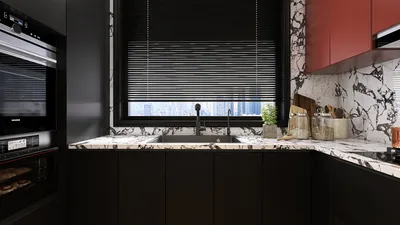


Modifying units in the Homestyler room layout tool is crucial to effectively designing your ideal space. The accuracy of your measurements plays a vital role in how cohesive your design will ultimately appear. If you're aiming to maximize your compact area with precise dimensions, let’s explore the process in detail!
Step 1: Accessing the Homestyler Room Designer
Begin by navigating to the Homestyler website and finding their room design tool. Once you’ve opened it, you can start crafting your area by selecting appropriate dimensions.
Step 2: Adjusting Unit Measurements
Typically, you'll notice options for unit systems, presented in either metric or imperial. If metric is your preference, easily select that option within the settings. For those who feel more comfortable with feet and inches, switch to the imperial system instead.
Step 3: Inputting Your Room Measurements
After adjusting the unit settings, it's time to enter your room’s dimensions. Input the width and length according to your selected unit system. Accuracy in these measurements is essential to ensure your design fits seamlessly.
Step 4: Exploring Various Layout Options
With your units configured and dimensions set, feel free to explore different layout possibilities. You can drag and drop furniture items, modify wall placements, and experiment with numerous configurations to find the best fit for your space.
Step 5: Saving and Sharing Your Creation
Once you’ve completed your adjustments, don’t forget to save your project. Homestyler often allows sharing through email or social media, making it easier to gather input from friends and family.
FAQ
Q: Is it possible to toggle between metric and imperial units after starting my project? A: Absolutely, you can generally switch units even after beginning your design, but be sure to verify measurements once you change them.
Q: What steps should I take to ensure my design accommodates my furniture dimensions? A: Utilize a tape measure to obtain accurate dimensions of your furniture and compare them with your room layout before you finalize the design.



Transform your home with Homestyler, the ultimate online design platform! With an easy-to-use design tool, stunning 3D renderings, and a wealth of interior design projects and DIY video tutorials, creating your dream space has never been easier or more inspiring!
Zaprojektuj teraz za darmo
































