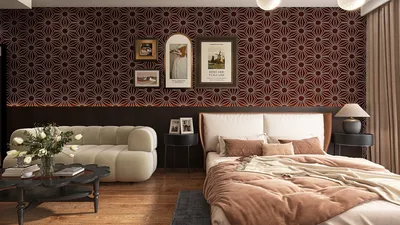


Transforming your living space with Govee lights can create a vibrant, personalized atmosphere. Whether you wish to enhance the experience for a movie night or craft a cozy ambiance for unwinding, mastering the control of your Govee lights is essential for optimal enjoyment.
Getting to Know Your Govee Lights:
Govee smart lighting solutions come in various types such as strip lights, bulbs, and panels. Before you start using the controls, it’s vital to identify the type of lights you possess and the features available. Most Govee lights are controllable via the Govee app, voice assistants, or included remotes.
The Adaptability of Govee Lights:
The charm of Govee lights lies in their adaptability. Whether utilized in a home theater or a bedroom, these lights successfully create an ambiance that enhances any occasion. From waking up to soft warm whites to bathing your space in cool tones for relaxation, Govee caters to your lighting needs.
Harnessing the Govee App:
The Govee app is central to managing your smart lighting solutions. You can easily download it from the App Store or Google Play and connect it to your lights via Bluetooth or Wi-Fi. Once they are synced, you'll have access to numerous features:
Voice Command Capabilities:
If you’re using a voice assistant such as Alexa or Google Assistant, integrating them with your Govee lights enables hands-free control. Simply command, “Turn on the lights in the living room” or “Change the bedroom lights to blue,” and enjoy the convenience!
Traditional Remote Control Option:
For those who prefer a conventional method, many Govee products come with physical remote controls. This allows you to alter colors and settings without any technology hassles.
Tips for Maximizing Your Experience:
To optimize your experience with Govee lights, consider updating your color themes in alignment with different seasons or festive occasions. Utilize the Govee app to discover new modes and settings that keep your environment fresh and inviting.
Elevating Interior Design with Govee:
Incorporating Govee lights into your interior décor can significantly enhance the aesthetic of your home. Use them to outline architectural elements or showcase art pieces, creating a cohesive and well-designed space.
Frequently Asked Questions
Q: Can multiple Govee lights be connected? A: Certainly! You can link numerous Govee lights using the app and manage them collectively, achieving a unified look across your entire space.
Q: Are Govee lights compatible with smart home systems? A: Absolutely! Govee lights integrate seamlessly with major smart home platforms, including Alexa and Google Assistant.
Q: What if my Govee lights fail to connect? A: If you face connection issues, ensure your Bluetooth is enabled and that the Govee app is updated. Restarting the app and the lights can also resolve the problem.
Q: Do Govee lights support music synchronization? A: Yes, Govee lights have the capability to sync with music played on your device, enhancing your entertainment with dynamic lighting that dances to the rhythm.


Homestyler is your go-to online home design platform, perfect for both novices and experts. With its user-friendly design tool, stunning 3D renderings, and a vast array of engaging video tutorials, you can effortlessly create and visualize your dream spaces today!
Design Now for FREE
































