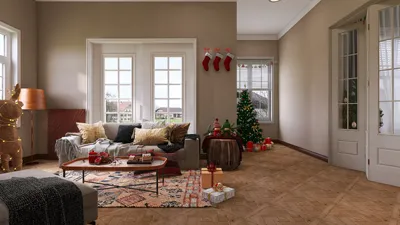


Designing a floor plan can be an invaluable endeavor, especially for architects and interior designers aiming to optimize compact areas. In this article, we will guide you through the crucial steps of crafting a functional and visually appealing floor plan with Homestyler. Regardless of your experience level, you'll discover useful suggestions to elevate your design abilities.
Getting Acquainted with Homestyler
Before you jump into the design process, it's important to become familiar with the Homestyler interface. This impressive software is tailored for stylish room layouts and can significantly aid in the creation of intricate floor plans. Below are the key elements you'll be engaging with:
Step 1: Preparing Your Design Environment
First, launch Homestyler and configure your design environment:
Step 2: Constructing Walls and Defining Spaces
Next, it's time to build the walls and designate the various spaces in your floor plan:
Step 3: Adding Entrances and Skylights
Entrances and skylights are essential components of any viable floor plan:
Step 4: Including Furniture and Decor
To get a feel for how the area will flow, include furniture and decor elements:
Step 5: Polishing Your Final Design
After placing all necessary elements, it's time to refine your final design:
Wrap-Up
Creating a floor plan with Homestyler might initially seem overwhelming, yet by adhering to these steps and harnessing the software's robust features, you can craft a space that is both functional and attractive. Keep in mind that mastering any design software requires practice, so feel free to explore different layouts and functionalities.
Frequently Asked Questions
Q: What is the primary use of Homestyler? A: Homestyler is predominantly utilized for interior design projects, making it ideal for creating detailed floor plans and layout designs.
Q: Can Homestyler be employed for residential design? A: Absolutely! Homestyler is perfect for residential spaces, particularly for detailed floor plans and site layouts.
Q: Are there alternatives to Homestyler for planning floors? A: Indeed, various other tools like SketchUp, AutoCAD, and Revit exist, which may offer user-friendly experiences tailored to interior design.
Welcome to Explore the Free 3D Floor Planner
立即免费设计
































