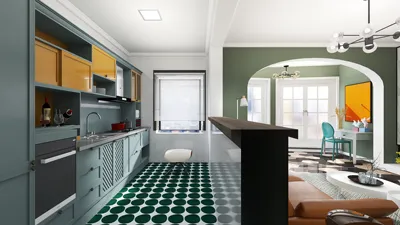


Designing a floor plan can be incredibly straightforward with the right software tools at your disposal, but it's also essential to understand how to properly export those designs. Whether for personal use, real estate purposes, or interior design projects, exporting your creations enables you to share or print them effectively. In this article, we will delve into how to successfully export your designs from various floor planning tools, including the innovative Homestyler. From selecting the best file format to achieving high-quality outputs, we’ve got all the details covered!
Selecting the Appropriate Export Format
When you export your floor plan, choosing the correct file format is vital. Most floor plan tools, including Homestyler, offer options like PDF, PNG, or JPG. Each format comes with its own advantages. For instance, a PDF preserves vector quality, making it an excellent choice for printing, while PNG and JPG formats are better suited for online sharing. Always think about how you intend to use your exported design before making your selection!
A Simple Guide to Exporting Your Floor Plan
Here’s a straightforward step-by-step guide to help you export your designs effectively: 1. Complete your design within the floor planner. 2. Locate the export or download option, typically found in the top menu. 3. Choose your preferred file format. 4. If necessary, adjust the quality settings. 5. Click on export and save the file to your device. It’s that easy!
Common Exporting Issues and Solutions
Occasionally, you may face challenges when exporting your floor plan. Issues such as large file sizes or incorrect settings can arise. If your export process is taking a long time, consider reducing the image quality or file size. Furthermore, ensure that your internet connection is stable if you’re utilizing an online service like Homestyler. Should problems persist, consult the FAQ section of the floor plan creator for more specific troubleshooting advice.
Conclusion on Exporting Floor Plans
Being able to export your floor plan efficiently not only saves time but also enables you to showcase your designs in a professional manner. The key lies in selecting the right format and adhering to the export steps carefully. Have you encountered any difficulties while exporting? I’d love to hear your experiences and any tips you may have!
Frequently Asked Questions
1. Which formats can I export my floor plan to? Most floor planning tools, including Homestyler, support exports in PDF, JPG, and PNG formats. 2. Can I modify the design after exporting? No, once the design is exported, you cannot make changes directly to the file unless using editing software. 3. What causes slow exports? Large file sizes or slow internet connections can lead to delays in exporting your design.
Welcome to the No.1 Floor Plan Creator



Homestyler is your go-to online design platform for transforming your home ideas into reality. With its user-friendly design tool, stunning 3D renderings, diverse design projects, and helpful video tutorials, creating your dream space has never been easier. Dive in and start designing today!
立即免费设计
































