

Generating elevations from a floor plan in AutoCAD might seem intimidating at first, but with the proper technique, you can effortlessly create precise and intricate drawings. This guide will provide you with crucial steps and practical tips to streamline your design workflow. Regardless of whether you're just starting or aiming to hone your abilities, mastering the method of producing elevations will significantly enhance your architectural visualizations.
Grasping the Fundamentals of Elevations
Elevations represent orthographic projections of a building's façade, illustrating height, materials, and distinctive features. To efficiently create an elevation from a floor plan, begin by getting acquainted with the elements that compose an elevation drawing, including windows, doors, and rooflines.
Detailed Process for Creating Elevation
1. **Establish Your Workspace**: Launch your floor plan in AutoCAD ensuring that the appropriate scale and units are configured. This step is vital for preserving accuracy in your elevations.
2. **Choose the Elevation View**: Identify the specific elevation you wish to draft (front, side, or rear). Having a reference line from your floor plan to outline the heights of various components can be beneficial.
3. **Employ the Line Tool**: Commence with outlining your elevation using the line tool. Consult your floor plan for the heights and dimensions of walls, doors, and windows.
4. **Incorporate Details**: Add architectural elements like trims, materials, and textures. Utilizing hatching for diverse materials can enhance the visual appeal of your elevation.
5. **Dimension Your Drawing**: Apply dimensions to your elevation to showcase heights and widths accurately. This step is crucial for the construction process and adds clarity to your design.
Advice for Effective Elevation Drawings
Utilize layers to differentiate various components of your elevation, simplifying editing and management. Furthermore, consider incorporating AutoCAD’s annotation tools for a polished finish.
Common Queries
**Q: Is it possible to create multiple elevations from a single floor plan?** A: Absolutely! You can replicate the process for each elevation view you require, while ensuring you adjust for variable heights and features.
**Q: What should I do if my floor plan isn’t to scale?** A: It's essential to appropriately scale your floor plan before generating elevations to uphold the accuracy of your drawings.
Discover the benefits of using Homestyler, the top-ranked floor planner, to elevate your design experience.
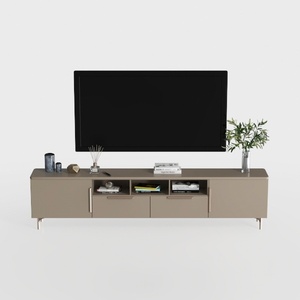
Modern Minimalist Solid Wood TV Stand Cabinet with Storage 3D Model
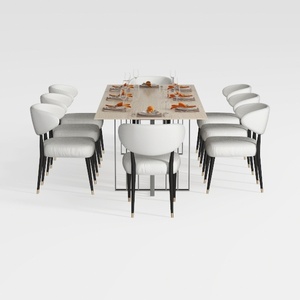
GarveeHome Natural Rattan Dining Chairs Set of 2

Modern Marble Solid Wood TV Wall Unit With Bookshelves 3D Model
Looking to transform your space? Homestyler is your go-to online home design platform! With its user-friendly design tool, stunning 3D renderings, a rich library of design projects, and helpful video tutorials, creating your dream home has never been easier or more fun!
Desain sekarang Gratis
































