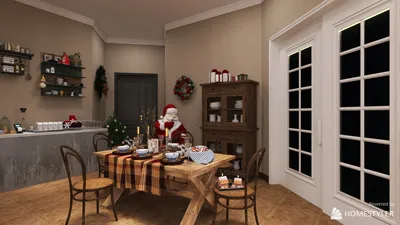


Generating elevations from a 2D floor plan is a critical process for both interior designers and architects. It provides a means to visualize the vertical aspects of your designs, which is vital for comprehending how spaces will appear and feel. In this guide, we'll explore how to create elevations effectively online, leveraging a 2D floor plan. Whether your project involves a compact apartment or an expansive house, these steps will assist you in actualizing your creative vision with the help of Homestyler.
Understanding the Fundamentals of Elevations
Before we dive into the process, it’s essential to understand the concept of elevations. Elevations are flat representations that depict the vertical surfaces of a building or interior space, illustrating elements such as doors, windows, and architectural details. Typically drawn to scale, they provide a clear perspective of how an area will look from various angles.
Step-by-Step Process for Creating Elevations
To begin, select a digital design tool that facilitates the generation of elevations from 2D floor plans. One highly recommended option is Homestyler, which offers robust capabilities for this task.
These design tools usually come equipped with built-in features that simplify the elevation creation process.
Once you’ve selected your software, the next step is to import your 2D floor plan. Ensure your plan is properly scaled and detailed to achieve optimal results. Most applications allow you to directly upload images or PDFs of your floor plans.
After importing your floor plan, you can initiate the setup of elevation views. This typically entails:
Be sure to adjust settings to ensure accurate dimensions and proportions throughout your design.
Once your base elevations are established, enhance them by incorporating architectural elements such as:
These features will contribute depth and realism to your elevations.
After finalizing your elevations, take the time to review them for both accuracy and aesthetic appeal. Make any necessary tweaks to align the design with your original concept.
Guidelines for Effective Elevation Design
1. Maintain consistent proportions across all elevations to achieve a uniform appearance.
2. Utilize color and shading to emphasize various materials and architectural characteristics.
3. Consider the practicality of the space when designing your elevations. For instance, ensure that doors and windows are strategically positioned to enhance natural light and flow.
Conclusion
Crafting elevations online from a 2D floor plan can be a straightforward endeavor with the right tools and methodologies. By adhering to these instructions, you can successfully visualize your designs and elevate your overall project quality. Elevations not only help in grasping the layout but also play a crucial role in showcasing your concepts to clients or stakeholders.
Frequently Asked Questions
Q: How can I start creating elevations from a 2D floor plan? A: Start by selecting an online design software that supports elevation creation, then proceed to import your 2D floor plan.
Q: Is it possible to edit my elevations after they have been created? A: Absolutely, most design tools allow you to make modifications and adjustments to your elevations as necessary.
Q: What essential details should be included in my elevation drawings? A: Make sure to incorporate key elements such as windows, doors, and other architectural attributes to enrich the visual representation of your design.
Welcome to the Premier 2D Floor Planner
지금 무료로 디자인하세요
































