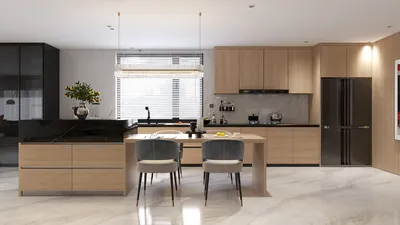


Enhancing the visual appeal of digital 3D models through painting can truly bring them to life. Whether you're a novice or a seasoned artist, grasping the nuances of digital painting is essential. In this guide, we will delve into effective techniques and tools to assist you in creating stunning textures for your models, leveraging the power of the Homestyler platform.
Grasping the Fundamentals of Digital Painting
Before diving into the painting process, it's vital to understand the basic concepts of digital painting. Grasping essential elements such as color theory, light perception, and texture application will empower you to create realistic models more effectively.
What color principles should you be aware of? Understanding how colors interact will aid you in selecting the right palette and infusing depth into your model. Do you have a favorite color scheme in mind?
Choosing the Right Software and Tools
The choice of software is crucial during the painting process. Popular programs like Adobe Photoshop, Corel Painter, and Procreate offer a variety of brushes and features specifically designed for digital artists. Additionally, many 3D modeling platforms, including Homestyler, come with built-in painting tools.
Have you considered trying specific software for your projects? Each tool boasts its unique features, and experimenting with different options can be quite rewarding.
Workflow for Painting 3D Models
Establishing a clear workflow can make the painting process smooth and efficient. Start by setting up your 3D model in the chosen software. Next, create UV maps to ensure accurate texture application. Once prepared, you can start painting shadows and highlights on the model.
Which step do you find most challenging—setting up the model or the actual painting? Share your experiences and connect with other artists facing similar challenges!
Techniques for Texturing Your Model
Texture is a key aspect that breathes life into your models. Techniques such as blending, layering, and using custom brushes can significantly enhance the visual quality. Don't hesitate to experiment with different textures!
Have you played with layering techniques? If so, which method do you prefer?
Advanced Techniques and Effects
Once you're comfortable with the basics, consider exploring advanced techniques like bump mapping or normal mapping to add more details and realism. These methods can dramatically improve the perceived depth of your models.
What advanced technique are you most excited to try in your next project?
Frequently Asked Questions
Q: What is the best software for painting 3D models?
A: Popular options include Adobe Photoshop, Corel Painter, and specialized 3D modeling software like Homestyler.
Q: How can I create UV maps for my model?
A: Use the UV unwrap tools available in your 3D software to generate a UV layout that maps to the surface of your model.
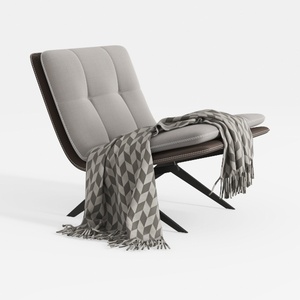



Homestyler is your go-to online platform for effortless home design. Its user-friendly design tool, stunning 3D renderings, and diverse design projects empower you to create your dream space. Plus, with helpful DIY video tutorials, transforming your home has never been easier or more enjoyable!
Progetta ora GRATIS
































