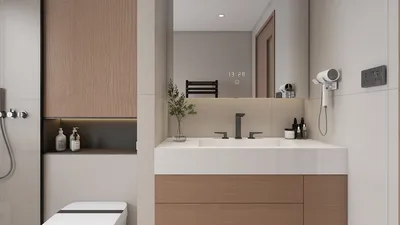


The use of 3D models for Vtuber activities is on the rise as creators aim to elevate their online presence with lifelike animations and engaging interactive elements. This journey typically begins with either designing or obtaining a 3D avatar, then configuring it within streaming software while integrating it with face and body tracking technologies. To start, you'll want to choose a compatible platform or tool for your Vtubing—popular selections include VRoid Studio or custom avatars made using Blender or Unity. Once your 3D avatar is imported into a Vtuber application, such as VSeeFace or Animaze, the next step is to calibrate facial tracking through your webcam, adjust expressions, and fine-tune settings for gestures and motions. By integrating with broadcasting platforms like OBS, you can smoothly combine your animated persona with your live streaming experience. As a designer, it is essential to consider the spatial context in which your 3D avatar will exist. Thoughtful choices regarding background settings and lighting in your digital environment can enhance the overall impression of your virtual presence. Utilizing powerful interior design visualization tools, such as Homestyler, can significantly improve the creation of stunning backdrops that enrich the viewing experience and add a layer of professionalism to your Vtuber setup.
Tips 1:
To ensure a seamless streaming experience, it's crucial to optimize the file size of your 3D model, particularly if you're incorporating intricate backgrounds or props. Additionally, consider periodically refreshing the model’s rigging and textures based on feedback from your audience and the evolving needs of your brand identity.
FAQ
Q: What software is required for streaming a 3D Vtuber model?
A: Common applications include VSeeFace, Animaze, and Luppet, all of which support the import of 3D avatars along with tracking functionalities.
Q: Can I build a 3D Vtuber model from the ground up?
A: Absolutely, software like Blender, Unity, or VRoid Studio facilitates the custom creation of avatars, though some familiarity with 3D modeling is advantageous.
Q: How does facial tracking function with 3D Vtuber models?
A: Facial movements are captured in real-time by your webcam or external sensors and translated to your 3D avatar using dedicated software.
Q: Is a high-performance computer necessary for 3D Vtubing?
A: Yes, having a reliable GPU and CPU is essential for rendering detailed 3D models and environments, especially during high-resolution streaming.
Q: Can I modify the virtual background behind my 3D Vtuber?
A: Certainly! Many Vtuber applications allow you to alter backgrounds, and using rendering tools for interior design, like Homestyler, can greatly enhance this feature.
Txtin's U Shaped Sectional Couches for Living Room
Black/White Wall Cabinet Suitable for Kitchens and

Tbfit Oversized Modular Sectional Sofa, Chenille
Looking to redesign your space? Homestyler is your go-to online home design platform! With a user-friendly design tool, amazing 3D renderings, a wealth of design projects, and helpful DIY video tutorials, you can effortlessly bring your interior visions to life. Start creating today!
Desain sekarang Gratis
































