

Designing a 3D tiger model presents a thrilling opportunity for artists, designers, and hobbyists to breathe life into this majestic creature in a virtual environment. Whether your aim is animation, gaming, or interior design, the creation process encompasses a series of well-defined steps. Here’s a detailed guide to help you embark on your project:
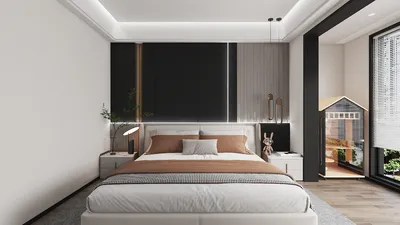
As a designer, I highly suggest incorporating innovative 3D models into your concepts. For instance, if you're envisioning a wildlife-themed room or a playful area for children, adding 3D animal figures can infuse both educational elements and fun into the atmosphere. Utilizing a tool like Homestyler can effectively demonstrate your 3D tiger model within beautifully designed digital settings, enabling clients to visualize extraordinary home decor options.
Tips 1:
Ensure your reference images are always accessible throughout the modeling phase. Alternating between orthographic and perspective views frequently will help maintain anatomical precision. If you are new to 3D modeling, consider following specialized tutorials for creating tiger models in your chosen software, which can expedite your learning journey.
FAQ
Q: Which software is ideal for crafting a 3D tiger model?
A: Popular options include Blender (which is free), Autodesk Maya, ZBrush, and 3ds Max. Blender strikes a good balance among modeling, sculpting, texturing, and rendering functionalities.
Q: What is the typical time frame for modeling a 3D tiger?
A: The duration varies significantly—beginners may require around 10 to 30 hours, while experienced artists could complete a basic model in a matter of hours. Additional time is necessary for texturing and rigging.
Q: Is a high-performance computer necessary for 3D modeling?
A: While basic modeling can be executed on less powerful systems, intricate sculpting and rendering typically demand robust CPUs, high-quality GPUs, and appropriate RAM.
Q: Can I integrate my 3D tiger model into game engines?
A: Certainly, but it’s crucial to retopologize and optimize the mesh for efficient real-time rendering, as well as export it in compatible file formats like FBX or OBJ.
Q: Where can I obtain textures for a tiger model?
A: You can either create bespoke textures by painting them directly in your 3D software or download royalty-free fur textures from websites such as textures.com or cc0textures.com.
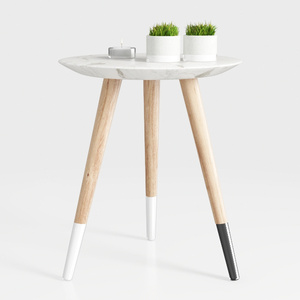
Modern Marble Top Solid Wood Legs Side End Table 3D Model

Bohemian Rattan Round Coffee Table 3D Model
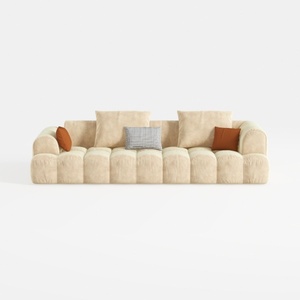

Minimalist Fabric Large Sofa With Decorative Throw Pillows 3D Model
Homestyler is your go-to online home design platform for transforming your space! With an easy-to-use design tool, stunning 3D renderings, and a rich collection of DIY video tutorials, bringing your dream home to life has never been easier. Start designing today!
Diseño ahora GRATIS
































