

In recent years, 3D scanning technology has advanced tremendously, opening up endless possibilities for artists, designers, and enthusiasts alike. This guide will walk you through the steps to effectively scan 3D models while utilizing tools like Homestyler for enhanced design applications.
Understanding the Basics of 3D Scanning
3D scanning refers to the process of capturing the physical dimensions of an object and converting them into a digital format. Techniques such as laser scanning, structured light scanning, and photogrammetry can all achieve this. Depending on your specific needs, various technologies might be better suited for your project.
Before diving into the actual scanning process, it's crucial to consider what you aim to achieve with your 3D model. Are you seeking high fidelity or is a rough approximation sufficient for your project's requirements? Your decision will guide the scanning methodology and tools you opt for.
Getting Started with 3D Scanning
1. **Choose Your Scanning Method:** Begin by selecting the right 3D scanning technology based on your budget and the level of detail required. While laser scanners deliver high precision, they can be costly; on the flip side, photogrammetry is more affordable and still yields satisfactory results.
2. **Prepare Your Object:** Make sure the item you wish to scan is clean and has sufficient texture or contrasting colors. If the object is overly smooth or shiny, the scanner may struggle to capture its details. Adding temporary markers or using a spray to minimize reflections can enhance the quality of your scan.
Scanning the Model
3. **Configure the Scanner:** Set up the scanner according to the manufacturer's instructions. Ensure it is stable and positioned correctly relative to the object. For photogrammetry, optimal lighting conditions are crucial to minimize shadows during the scanning process.
4. **Scan the Object:** Initiate the scanning process. Move around the object to capture it from multiple angles, ensuring a comprehensive scan. More images taken, or repeat passes completed, will ultimately enhance the quality of the final model.
Post-Processing Your 3D Model
5. **Edit and Clean Up:** Once scanning is complete, you may need to use 3D editing software to refine the model. This could involve removing noise, filling holes, or optimizing the mesh for better performance in applications like printing, where platforms like Homestyler could come into play.
6. **Export the Model:** When you are satisfied with the edits, export the 3D model in the desired format for your projects.
Tips for Successful 3D Scanning
- Experiment with different scanning settings to achieve the best results.
- Before tackling the main project, practice your technique on less critical or test objects.
Frequently Asked Questions (FAQ)
Q: What is the best method for scanning objects? A: The best method varies based on your needs. Laser scanners are ideal for precision, while photogrammetry is an excellent economical option.
Q: Do I need specialized software for 3D scanning? A: Yes, most scanning methods require software to process and edit your scans so they can be transformed into usable 3D models.


Modern Black Marble Top Metal Base Nesting Coffee Table 3D Model
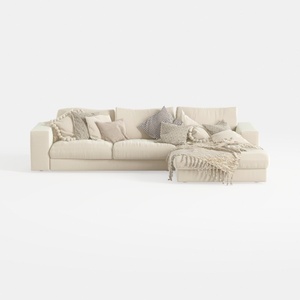
Minimalist Beige Fabric L Shaped Sectional Sofa with Throw Pillows 3D Model

Natural Green Vine Wall Panel Decorative 3D Model
Discover your dream space with Homestyler! This user-friendly online home design platform features a powerful design tool, stunning 3D renderings, and an impressive library of design projects and DIY video tutorials. Transform your home effortlessly, whether you're a novice or a pro!
Design Now for FREE
































