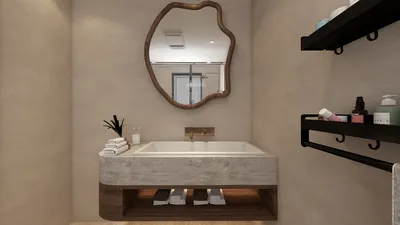


Designing a 3D room can be an exhilarating and fulfilling endeavor, whether you're a novice or a professional designer. The advancement of technology and the availability of intuitive software have made it more straightforward than ever to create your ideal space. This guide will take you through the necessary steps to craft an impressive 3D room design using accessible tools like Homestyler, which features a broad range of furniture models, design inspirations, and templates.
The first essential step in your journey of 3D room design is to seek inspiration. Explore different design styles that appeal to you, such as contemporary, vintage, minimalist, or eclectic themes. Websites like Pinterest, design magazines, and social media platforms like Instagram are excellent resources for discovering diverse design concepts. Save images that inspire you and compile a mood board to clearly illustrate your design vision.
With a vision in place, the next step is to measure your space with precision. Take careful measurements of your room, including the dimensions of the walls, windows, doors, and any architectural elements. This data is vital for informing your design and ensuring everything fits appropriately in the virtual design environment.
After measuring your space, select the right software for your design project. Homestyler is a fantastic choice due to its user-friendly interface and rich array of resources that can help turn your concepts into reality. By signing up for a free account, you'll gain access to thousands of furniture models, global design templates, and creative inspiration. You can easily create a floor plan by entering your room's dimensions and shape.
Following the setup of your floor plan, start playing around with various layouts. Homestyler allows you to drag and drop furniture elements into your design, helping you to visualize how each piece fits within the space. Feel free to experiment with different placements until you discover the arrangement that feels just right for your room.
Next, concentrate on selecting colors, textures, and materials. Utilize Homestyler's extensive library to find paint colors, wallpaper, flooring, and furniture finishes that align with your design aesthetic. Consider how colors interact with each other; their combinations can significantly alter the mood and atmosphere of your room. Additionally, experiment with various lighting options to see the effects of both natural and artificial light on your design.
Once you’re pleased with your layout and color selections, it’s time to enrich your 3D room design with finer details. Incorporate decorative elements such as rugs, curtains, artwork, and plants to infuse warmth and character into the space. These nuances help create a more lifelike representation of your room and highlight your distinct style.
After finalizing your design, leverage Homestyler’s high-quality rendering capabilities. You can produce realistic 3D visualizations of your room, allowing you to see how it will appear in real life. This step is crucial for identifying any modifications needed before you finalize your design.
When you feel satisfied with your 3D room design, think about sharing it with friends or on social media platforms to gather feedback. The Homestyler community serves as an incredible resource for interior design lovers, where you can discover inspiration from other users' projects. You may also want to consult a professional interior designer for additional insights and advice.
Ultimately, elevate your design experience by bringing it to life. Use your 3D room design as a detailed plan for purchasing furniture and decor, and witness how your vision transforms into reality. Enjoy the process of creating your dream space, and embrace the creative journey of designing your own room!
Tips 1:
Experiment with various design styles and palettes to discover what truly resonates with you.
FAQ
How can I begin with 3D room design?
Start by gathering inspiration, measuring your space accurately, and utilizing user-friendly software like Homestyler.
What software works best for 3D room design?
Homestyler is a favored option due to its extensive resource library and simple interface.
Is it possible to share my 3D designs online?
Definitely! You can share your designs on social media or among design communities to receive feedback.
Welcome to Homestyler
Built on technology originally developed at Autodesk, Homestyler empowers anyone to design beautiful, realistic spaces in minutes. Join over 18 million users who have already discovered a smarter way to plan, visualize, and bring their dream homes to life — all from the comfort of a browser.
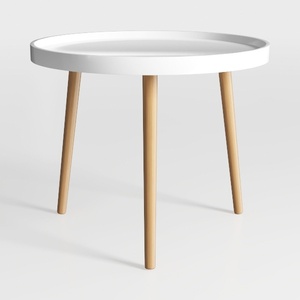
Minimalist Modern Oak White Round Side Table 3D Model
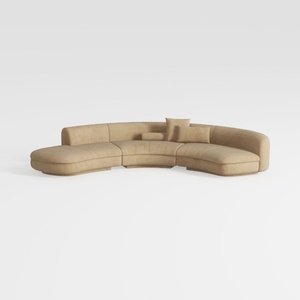
Minimalist Beige Fabric Curved Sectional Sofa 3D Model

Minimalist Solid Oak Fluted TV Stand with Black Metal Legs 3D Model
Looking to transform your space? Homestyler is your go-to online home design platform! With a user-friendly design tool, stunning 3D rendering, a wealth of design projects, and informative DIY video tutorials, you can easily unleash your creativity and bring your dream home to life!
Design Now for FREE
































