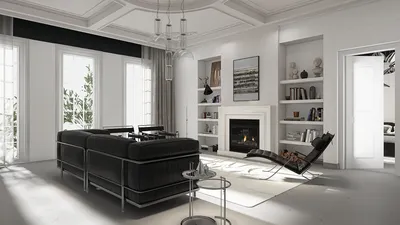


Crafting a 3D representation of a plant can be a thrilling way to animate your design concepts. In this tutorial, we will outline straightforward steps that will assist you in developing lifelike plant models, perfect for both interior decoration and landscaped environments.
Step 1: Select Your Software
The initial phase of modeling a 3D plant involves selecting the most suitable software. Notable choices include Blender, Autodesk Maya, and SketchUp. Each of these applications boasts user-friendly interfaces combined with robust functionalities, making them accessible to both novices and experienced designers alike.
Step 2: Collect Reference Images
Prior to commencing modeling, it’s essential to gather reference images of the plant you aim to replicate. This could range from a specific species to a beautiful arrangement of plants you admire. Focus on aspects such as shape, texture, and color to elevate the realism of your model.
Step 3: Begin with Basic Shapes
Start the modeling process by outlining the essential shapes of the plant elements. Utilize cylinders for stems and spheres or flat shapes for leaves. Keep the initial forms simplistic and progressively refine them as your model advances.
Step 4: Incorporate Details and Textures
Once the basic shapes are in place, it's time to introduce finer details. Shape the leaves to mimic their natural curves and enhance the stems with suitable textures. Most modeling software, including Homestyler, provides excellent texturing features that enable easy application of colors and patterns.
Step 5: Render Your Model
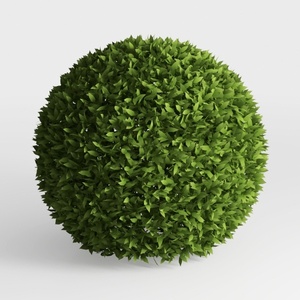
Finally, you will render your model. Tweak the lighting and camera settings within your software to effectively showcase the plant’s attributes. Rendering will provide you with a realistic depiction of your model, suitable for export and use in various projects.
Tip 1:
Always be open to experimenting with diverse shapes and textures to make your 3D plant truly stand out. Seek feedback from design communities, which can further boost your skills.
FAQ
Q: What software do you recommend for beginners interested in creating 3D plants? A: Blender is an excellent choice because it is free and offers a wealth of tutorial resources.
Q: Can I integrate 3D plant models into my interior design projects? A: Certainly! Implementing 3D plant models can significantly enhance the presentations and visualizations in your interior design endeavors.


Homestyler is an outstanding online platform for home design enthusiasts. Its user-friendly design tool allows you to create stunning layouts, while the extensive 3D renderings and inspiring video tutorials guide you through every step of your home decor journey. Transform your space effortlessly with Homestyler!
Progetta ora GRATIS
































