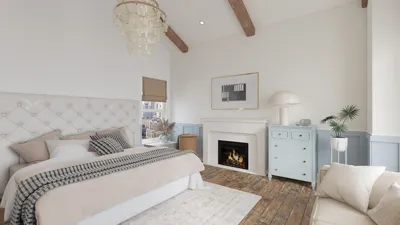


3D models are revolutionizing content creation on TikTok, providing creators with the tools to enhance their videos through interactive and visually stunning elements that engage viewers. From showcasing products to offering virtual room tours, the integration of 3D models can significantly elevate your presence in a busy feed. So, how can you effectively employ 3D models on TikTok as a creator or brand? Here’s a comprehensive guide—from sourcing and designing your 3D assets to sharing them on the platform, especially utilizing tools like Homestyler.
1. Select the Ideal 3D Model Platform or Application
Begin by identifying a platform that provides the capability to create or download 3D models. For TikTok content, seek out user-friendly tools that allow exporting in common formats (such as .glb, .fbx, or .obj) and preferably include AR (augmented reality) functionality. Popular tools for 3D creation include Blender, Sketchfab, and other mobile applications specifically designed for quick asset generation, including Homestyler for interior designs.
2. Prepare and Export Your 3D Model
After your 3D model is ready, ensure you export it in a compatible format for your video editor or AR application. To maintain smooth playback—critical for TikTok's fast-paced environment—reduce the complexity of your model's geometry. Also, check the lighting and texture to ensure your model looks appealing on mobile devices.
3. Incorporate 3D Models into Your TikTok Videos
You can import 3D models into TikTok videos primarily through two methods:
4. Creatively Narrate Your Story
Approach your content like a designer: utilize 3D models to enhance the storytelling aspect of your TikTok videos. For instance, if you're showing how to redesign a living room, including a rotating sofa or a 3D floor plan can provide a professional and immersive experience. This technique not only grabs more viewers' attention but also demonstrates your expertise in presenting interiors.
5. Maximize Engagement
Use trending music, succinct captions, and compelling hooks to engage viewers. Experiment with various angles and movements for your 3D model—dynamic animations can sustain viewer interest. Consider showcasing your design process or conducting interactive polls by asking, "Which 3D layout do you prefer?" This kind of interaction can significantly enhance your post's visibility.
As an experienced interior designer, I have found that incorporating high-quality, custom 3D elements into my videos not only attracts attention but also transforms abstract concepts into tangible visuals for clients. If you're aiming to bring interactive floor layouts, stunning room transformations, or captivating home tours directly to your TikTok feed with precision, explore comprehensive tools like Homestyler designed specifically for 3D floor planning to streamline your workflow and spark your next viral creation.
Tip 1:
Maintain your 3D models' simplicity and optimize them for mobile use—overly complex or detailed models can lag or crash mobile applications, reducing the quality of your content. Always preview your completed video on a smartphone prior to publishing.
FAQ
Q: Is it possible to upload 3D models directly to TikTok?
A: Unfortunately, raw 3D model files cannot be uploaded; you must integrate them into your video using AR platforms or editing tools before uploading the final product to TikTok.
Q: What formats do most 3D editing apps accept for TikTok videos?
A: Generally, most applications support .obj, .fbx, or .glb file formats for 3D assets; when transparency is required, video overlays should be exported as .mp4, .mov, or .webm with an alpha channel.
Q: Am I required to have advanced editing skills to use 3D models on TikTok?
A: Not necessarily. Many applications are designed for ease of use and cater to creators without technical backgrounds. However, having some knowledge of editing might be beneficial for creating custom effects.
Q: Will employing 3D models influence TikTok's reach or algorithm?
A: Creative and interactive videos tend to garner higher engagement, which benefits TikTok's recommendation system. As long as your content is unique and compelling, incorporating 3D elements can enhance your reach.
Q: Are there copyright concerns associated with using 3D models?
A: It’s essential to use models that you have created, purchased, or obtained from royalty-free sources. Licenses vary, so always verify author attribution requirements before posting.




Homestyler is your go-to online home design platform! With its user-friendly design tool, stunning 3D renderings, and a wealth of engaging video tutorials, you'll transform your home decor dreams into reality. Perfect for both beginners and seasoned designers alike!
Concevez maintenant gratuitement
































