

Designing a 3D model using SolidWorks is an essential capability for professionals in design, engineering, and architecture. This robust computer-aided design (CAD) software enables you to craft detailed parts, assemblies, and comprehensive drawings. Below is a step-by-step approach to initiate your journey in creating a 3D model with SolidWorks:
Once your model is finished, you can also produce assembly files by merging various parts or generate precise technical drawings intended for manufacturing processes.
As a practicing interior designer, I’ve discovered that 3D modeling transcends mere technical precision; it embodies the vision of how spaces will feel and operate even before construction begins. For design experts eager to quickly conceptualize and visualize spatial arrangements, utilizing state-of-the-art digital tools such as a 3D floor planner, like Homestyler, can greatly enhance the design workflow, facilitating swift revisions and engaging presentations for clients.
Tips to Enhance Your Skills:
To improve your proficiency with SolidWorks, consistently engage with tutorials; tackling smaller, frequent projects can help solidify effective modeling practices. Utilize reference images or sketches for more complex designs, and ensure your sketches are completely defined to maintain stability during edits. In the realm of interior design, exporting your models to software that offers visualization capabilities, such as Homestyler, can elevate your presentations significantly.
Frequently Asked Questions
Q: Can SolidWorks be utilized for architectural and interior design modeling?
A: Although SolidWorks is primarily designed for engineering applications, it can be adapted for modeling interior components, furniture, and more detailed elements. Nevertheless, combining it with specialized interior design software often produces superior outcomes.
Q: How do I apply materials and colors in SolidWorks?
A: You can utilize the 'Appearance' tab to assign various colors, textures, and materials to distinct faces or bodies within your 3D model, thereby enhancing the realism of renders and presentations.
Q: Is it feasible to transform a 2D floor plan into a 3D model using SolidWorks?
A: Yes, by importing a 2D sketch (like DXF or DWG files), you can extrude or construct your 3D geometry based on the outlines of your floor plan.
Q: What are the system prerequisites for running SolidWorks?
A: SolidWorks operates on a Windows platform, necessitating a high-performance CPU and GPU along with sufficient RAM (16GB or more is typically recommended) to effectively manage large models.
Q: Are there quicker methods to visualize interior spaces than traditional CAD modeling?
A: Certainly. By utilizing platforms equipped with user-friendly design interfaces and pre-made templates, such as contemporary 3D floor planners like Homestyler, you can achieve rapid ideation and interactive visualization for your interior projects.
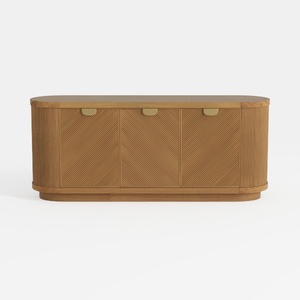
Modern Minimalist Solid Wood Fluted Sideboard with Brass Accents 3D Model
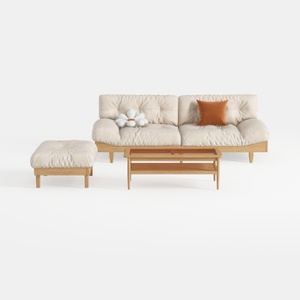
Minimalist Solid Wood Fabric Sofa Ottoman Coffee Table Set 3D Model
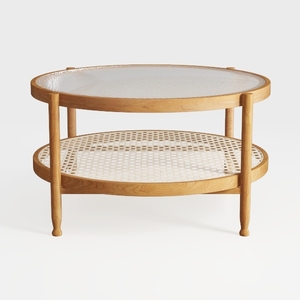
Minimalist Oak Rattan Glass Top Round Coffee Table 3D Model
Looking to redesign your home? Homestyler is the ideal platform! With its user-friendly online design tool, stunning 3D renderings, and a wealth of DIY tutorials, you can easily explore and visualize your creative ideas. Transform your space effortlessly with Homestyler!
Projete agora para LIVRE
































