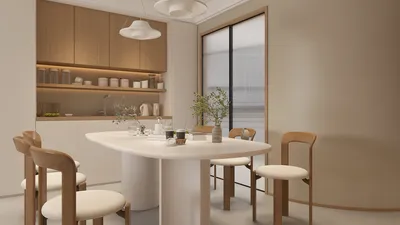


Embarking on the journey of creating 3D models using your iPad can be an exhilarating experience that fosters creativity and innovation. Today’s technological advancements have transformed the iPad into a robust platform for designers, artists, and enthusiasts alike. Regardless of whether you’re just starting out or have years of experience, there are plenty of applications at your disposal to help you bring your creative visions to fruition. The initial step is to choose the appropriate app that aligns with your needs. Leading options such as Blender, Shapr3D, and Homestyler offer user-friendly interfaces accompanied by powerful features essential for modeling, sculpting, and rendering. Each of these applications comes with its unique advantages, making it crucial to select one that meets the specific requirements of your project. After installing your preferred application, take the time to get acquainted with its interface. Explore the various tools and functionalities it offers, as many applications include tutorials or guides designed to ease you into the creative process. This preliminary exploration will undoubtedly save you time and mitigate frustrations as you begin to work on your models. Moving forward to the modeling phase, it’s beneficial to sketch your ideas, whether on paper or through a digital drawing application. Having a clear and coherent concept will streamline the modeling process significantly. Then, launch your chosen 3D modeling app, and embark on creating a new project. Begin by utilizing basic geometric shapes, such as cubes, spheres, and cylinders, to establish the groundwork for your model. As you progress, manipulate these basic forms by scaling, rotating, and merging them to create your desired design. Additionally, make use of layers and groups to maintain an organized workspace, as this will aid in the editing and refinement stages of your model. The application of texture and color is vital in the realm of 3D modeling. Most software provides various options for applying materials, textures, and colors to enhance your model’s aesthetic. Don’t shy away from experimenting with different material options to observe their influence on your design's overall appearance. Lighting is another critical element; consider incorporating light sources that accentuate features and impart depth to your creation. When you are pleased with your model, the next step is rendering. Rendering generates a 2D representation of your 3D model, allowing you to visualize its real-life potential. Depending on the application, you may encounter a range of rendering configurations, which include quality settings and background options. Post-rendering, you can export your model in various formats suitable for 3D printing, sharing, or further editing within other software programs. Don’t forget to save your progress frequently to avoid losing your hard work. Finally, showcase your artistic creations with the community! Many applications like Homestyler include built-in sharing functionalities that enable you to post your models online or collaborate with fellow designers. Participating in forums and social media groups centered around 3D modeling can also provide invaluable support and inspiration. In conclusion, creating 3D models on your iPad is both an inviting and fulfilling endeavor. Equipped with the right tools, a touch of practice, and a creative spirit, you have the potential to produce remarkable designs that truly reflect your individuality. So, grab your iPad and dive into the world of modeling today!
Tips 1:
Continue to experiment with various styles and techniques to refine your skills.
FAQ
welcome to Homestyler
What began as an Autodesk innovation has evolved into a design platform used by more than 18 million people around the globe. Homestyler combines powerful rendering, an intuitive editor, and a vast furniture library to help you turn inspiration into photorealistic designs — whether you're redesigning a single room or planning an entire home.

Minimalist Travertine Top Solid Wood Round Coffee Table 3D Model

DUOMAY Modern Boucle Dining Chairs Set of 2,
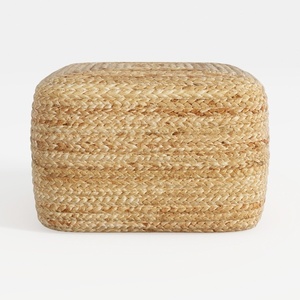

Natural Woven Rattan Square Ottoman Minimalist Boho 3D Model
Discover the ease of home design with Homestyler! This incredible online platform offers a user-friendly design tool, stunning 3D renderings, and a wealth of inspiring design projects. Plus, with DIY video tutorials, you'll have everything you need to transform your space effortlessly.
Zaprojektuj teraz za darmo
































