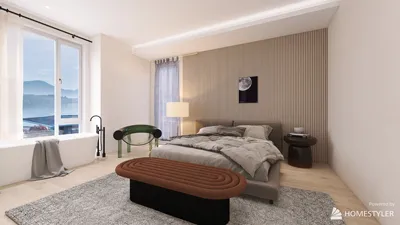


The blocky realm of Minecraft offers more than just survival and crafting; it serves as a dynamic platform for those passionate about 3D modeling and design. By creating 3D models in Minecraft, enthusiasts can develop custom assets, imaginary objects, or even detailed architectural masterpieces. Whether for enjoyment, sharing within the Minecraft community, or seeking personal design ideas, the possibilities are endless. This involves constructing items using the in-game blocks, or opting for external 3D modeling software before bringing creations into Minecraft via resource packs or mods.
To begin your modeling journey, identify the specific aim of your creation. Are you focusing on a new character, an ornament, or an architectural feature? For more basic designs and statues, the Minecraft environment allows for direct block construction. However, if your vision requires more intricacy or you wish to import detailed models, utilizing outside tools becomes essential.
After you’ve completed your model, ensure it is exported in the appropriate format (typically .json or a similar type), and integrate it into Minecraft using a resource pack for applying textures and models or mods like OptiFine or Custom NPCs. From the perspective of a designer, creating these 3D models enables one to visualize layouts, play with color schemes, and plan out decoration for rooms. In this context, using tools like a 3D Floor Planner can connect Minecraft inspiration to actual living spaces, providing a way to visualize furniture and decor ideas in a similar block-oriented format before fine-tuning them to meet real design objectives, potentially with the help of resources like Homestyler.
Tips 1:
Always check out Minecraft’s model guidelines and community-produced tutorials at the start, since getting the scale and formatting right is crucial for smooth integration. Begin with simple projects, experiment freely, and seek out ideas both from the game and real-world inspiration — often, innovative architectural and interior design solutions can influence extraordinary Minecraft creations.
FAQ
Q: Which software is best suited for crafting Minecraft 3D models?
A: Blockbench is intuitive and tailored specifically for Minecraft modeling tasks. Other popular choices for more extensive projects include Blender and MagicaVoxel.
Q: Is it possible to import real-life objects into Minecraft as 3D models?
A: While direct importing isn't feasible, you can reconstruct real objects in modeling software such as Blender, and then export them into Minecraft formats utilizing plugins or conversion tools.
Q: What steps should I take to bring my custom 3D model into Minecraft?
A: Export your model as a .json file and include it in your game using resource packs, or take advantage of mods like OptiFine or Custom NPCs for seamless integration.
Q: Do I need any coding skills to create Minecraft 3D models?
A: Basic modeling does not require coding knowledge, but if you're looking into more complex integrations with mods, simple scripting or JSON adjustments may be necessary.
Q: Can Minecraft 3D models be effectively used in real-world architectural and interior design planning?
A: Though Minecraft models take on a blocky and stylized appearance, they can inspire initial floor plans and spatial layouts before transitioning to professional 3D design software.
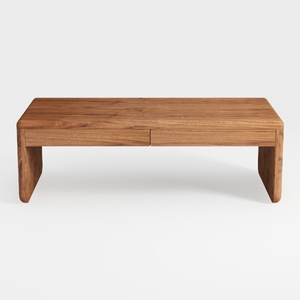
Coaster Home Furnishings Lynette Rectangular Eco F

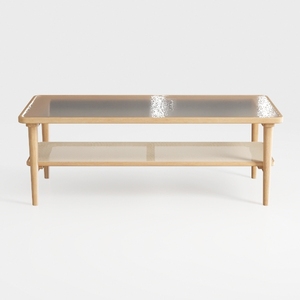
VECELO Coffee Table with 2-Tier Storage Shelf X-Fr
Homestyler is your go-to online home design platform. With an easy-to-use design tool, stunning 3D renderings, and a wealth of DIY video tutorials, you'll find the inspiration and guidance you need to transform any space into your dream home effortlessly.
立即免费设计
































