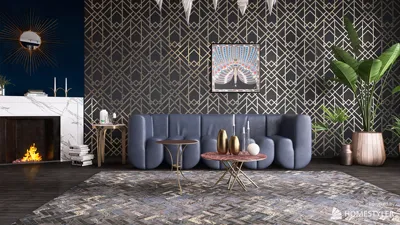


Capturing a 3D model in a photograph is an excellent way to highlight its intricate design and details, thereby ensuring it stands out. Whether you're an experienced designer or a passionate hobbyist, mastering the art of photographing your 3D creations is vital. This guide will offer practical strategies to help you take exceptional pictures of your 3D models, enhancing your digital portfolio with tools like Homestyler.
The Importance of Lighting:
Lighting is perhaps the most critical element in photography. Natural sunlight can beautifully illuminate your model, showcasing its textures and colors. Ideally, shoot during the day near a window where soft light filters in. If natural lighting is less than perfect, consider employing a softbox or LED lights to achieve an even distribution of light that highlights your model's best features.
Furthermore, avoid harsh shadows that could obscure your model’s details. Play around with different angles and intensities of light to see how they affect the mood and detail of your photographs.
Selecting an Appropriate Background:
The choice of background can significantly influence how your 3D model is perceived. A simple, uncluttered backdrop is best for keeping your model as the central focus. Neutral colors like white or black are often recommended, but don’t hesitate to try out colors that enhance your model's visual appeal. If you're shooting outdoors, ensure the backdrop doesn’t distract from the model itself.
If you have access to a themed diorama or setup that aligns with your model's concept, using that can add visual interest and context to your photograph.
Optimal Camera Settings and Angles:
Utilizing the right camera settings is crucial for boosting image quality. For smartphone users, always select the highest resolution option. DSLR users should opt for a low ISO setting to minimize noise and a higher aperture (f/8 or greater) to achieve a deeper depth of field.
Exploring various angles can also yield exciting results—taking shots from different perspectives or distances can enrich the context of your model. While close-ups draw attention to fine details, wide-angle shots provide an overall view of the model’s scale.
Enhancing Images with Post-Processing:
Finally, once you have your photos, using photo-editing software to refine them can elevate their appearance. Adjusting brightness, contrast, and sharpness can add a professional polish to your images. Simple tweaks can help your model stand out even more, making it more appealing to your audience, especially when showcased through platforms like Homestyler.
Frequently Asked Questions
Q: Is a professional camera necessary for capturing quality images of my 3D models? A: Although a professional camera can be beneficial, many smartphones are equipped with high-quality cameras that can produce excellent images if utilized effectively.
Q: How can I prevent reflections when photographing glossy models? A: Employ polarizing filters on your camera, or modify the lighting angles to reduce reflections.
Homestyler's roots trace back to Autodesk, the global leader in design and engineering software. That heritage lives on in every feature we build. Today, with a community of more than 18 million users worldwide, Homestyler continues to make professional-quality interior design accessible to everyone — from first-time decorators to seasoned architects.


Modern Minimalist Green Velvet Fabric Large Sofa With Throw Pillows 3D Model

Minimalist Modern Fabric Sectional Sofa Living Room Set 3D Model

Discover Homestyler, your ultimate online home design platform! With its user-friendly design tool, stunning 3D renderings, and a wealth of design projects and DIY video tutorials, you can effortlessly bring your interior design visions to life. Start your creative journey today!
Design jetzt kostenlos
































