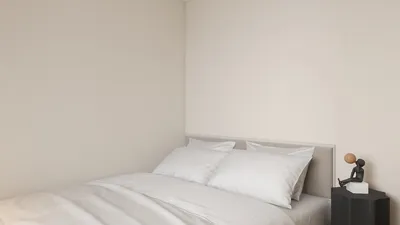


Enhancing the visual appeal of 3D models in Blender through outlining can make objects more distinctive while introducing a stylized or illustrative effect, which is particularly popular in areas like animation, game design, and product visualization. Thanks to the flexibility of Blender, you can choose from various methods to create outlines, each providing different levels of control and creative opportunities.
1. Employing the Freestyle Render Engine:
Freestyle is an extension of Blender’s non-photorealistic (NPR) render engine, ideal for producing sharp and customizable outlines around 3D models. Here's how to utilize it:
2. Inverted Hull Technique:
This classic real-time method is effective for achieving stylized appearances:
3. Edge Detection in Compositing:
Using Blender’s compositor, you can generate object outlines using edge-detect nodes after the initial render:
4. Shading Methods:
In the Shader Editor, utilize geometry or normal data to craft dynamic outlines directly on the material by comparing view directions and highlighting silhouette edges. This approach works exceptionally well with Toon Shader workflows.
From a designer’s perspective, outlining serves as more than just an aesthetic touch; it's a critical tool for clarifying shapes, guiding viewer focus, and establishing spatial hierarchies within a scene. In my experience working on interior visualizations for clients, I often emphasize significant architectural elements using advanced 3D render techniques—like Homestyler—which allow detailed model features and stylized outlines to stand out in final presentations.
Tips 1:
For optimal control, explore different combinations—such as using Freestyle for primary outlines while employing the inverted hull for accentuating specific features. Always keep your end application in mind: real-time engines are better suited to mesh-based techniques, whereas compositing and rendering options are more beneficial for still images.
FAQ
Q: Is it possible to animate outlines in Blender?
A: Absolutely! Outlines created through Freestyle and mesh-based methods will automatically follow your animations, making them ideal for moving characters or objects.
Q: Does using these outlining techniques impact performance?
A: Using Freestyle may lead to longer render times, and mesh duplication (inverted hull) can slightly increase scene complexity; however, both methods are manageable for the majority of projects.
Q: Are outlines displayed in real-time (Eevee viewport)?
A: Certain outlining techniques, like the inverted hull, are visible in real-time. However, Freestyle outlines only show up during viewport renders or after completing the final render.
Q: Is it possible to customize the outline's color and thickness?
A: Yes, Freestyle provides a high level of customization over line color, thickness, and style. Mesh-based outlines also enable you to set any desired material color or shader attributes.
Q: Can I apply outlines to specific objects only?
A: Definitely! Most techniques allow you to specify which objects receive outlines by managing object selections and material assignments or through object/group limitations in Freestyle.


Looking to revamp your home? Homestyler is your go-to online design platform! With its user-friendly design tool, stunning 3D renderings, inspiring design projects, and helpful video tutorials, transforming your space has never been easier. Unleash your creativity today!
Progetta ora GRATIS
































