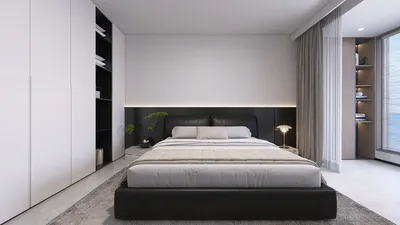


Mastering the art of mirroring a 3D model is essential for designers aiming to create visually balanced and appealing designs efficiently. This expertise is valuable across various fields such as architecture, product design, or even personal creative projects, significantly reducing the time needed for tedious adjustments.
Imagine this situation: Have you ever devoted numerous hours fine-tuning one side of your model just to achieve symmetry with the other? If so, acquiring the skills to utilize the mirroring function efficiently could transform your design workflow.
A Deep Dive into 3D Model Mirroring
Mirroring refers to the process of creating a reflective clone of your 3D model, ensuring symmetry through a designated plane. While procedures may differ across various software platforms, the fundamental principles remain consistent.
Most 3D modeling applications include a mirroring function typically found within the modification or transformation sections. Gaining proficiency with these tools will significantly elevate your productivity and streamline your workflow.
Steps to Effectively Mirror a 3D Model
Follow this concise guide to achieve successful mirroring:
1. Select the object you wish to mirror.
2. Access the mirroring tool in your chosen software.
3. Choose the plane (X, Y, or Z) for the mirroring process.
4. Adjust necessary options like keeping the original object's textures and materials intact.
5. Perform the transformation and check for accuracy.
Next, let's explore some helpful tips to ensure a successful mirroring experience.
Tips for Seamless Mirroring
1. Always work from a duplicate of your original model to protect the initial data.
2. Carefully check the alignment of your axes to ensure correct mirroring direction, preventing any unintended distortions.
3. When possible, use the snap tool for precise alignment, especially in more complex designs.
Challenges Encountered During Mirroring
Although the theory behind mirroring is quite straightforward, it can sometimes present challenges such as:
To avoid these issues, regularly save your progress and implement versioning for every significant change you make.
Frequently Asked Questions
Q: Is it possible to mirror multiple models simultaneously? A: Yes, many software applications allow multiple object selection for mirroring at once. Just ensure they are grouped or selected before activating the mirror function.
Q: Must I mirror every component of my model? A: Not necessarily. Selective mirroring is often more beneficial, enabling you to concentrate on specific elements according to your design goals, particularly if some parts are intentionally asymmetric, such as in designs created using Homestyler.

Homestyler is your go-to online platform for all your home design needs! With an easy-to-use design tool, stunning 3D renderings, and a wealth of inspiring projects and video tutorials, transforming your space has never been easier. Dive into creativity and design your dream home today!
Projete agora para LIVRE
































