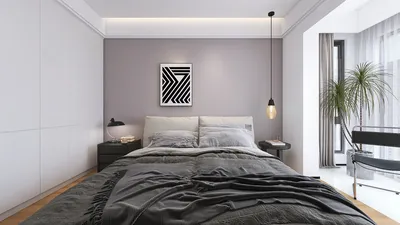


Integrating 3D models into your interior design endeavors with Homestyler can significantly enhance the way you convey your ideas. It offers potential clients a vivid and immersive glimpse into the future space. This detailed guide will outline the key steps necessary for successfully incorporating 3D models into your design process.
Step 1: Accessing the 3D Model Library
To get started, open the Homestyler application and head straight to the 3D model library. This collection boasts an impressive array of models that cater to various themes and aesthetics. Whether your project demands furniture, decorative elements, or structural components, the library delivers numerous options to suit your design needs.
Make use of the user-friendly search feature to quickly discover specific items by entering relevant keywords. This tool not only streamlines your workflow but also helps you find the perfect models that complement your design vision.
Step 2: Importing Your Own 3D Models
If you have custom 3D models, bringing them into Homestyler is highly efficient. Simply select the ‘Import’ function from the main menu and choose the files you wish to upload from your device. Confirm that your files are in suitable formats (like .OBJ or .FBX) to ensure seamless integration into the platform.
Once your models are imported, drag and drop them into your design workspace. It’s essential to adjust their dimensions, orientation, and placement to create a cohesive and polished overall appearance.
Step 3: Tailoring Your Models
Homestyler offers extensive customization options for your models. By selecting a model, you gain access to various editing tools that allow you to modify colors, textures, and finishes, ensuring they align with your design's overall aesthetic.
Play around with the size and rotation of the models to create a more dynamic and inviting layout. The goal is to choose models that not only enhance the visual appeal but also create a harmonious design narrative.
Step 4: Saving and Exporting Your Design
After you have fine-tuned your design, it’s crucial to save your progress. Click on the ‘Save’ icon and select the most suitable format for your project. You can also export your design for client presentations or to include in your design portfolio.
By following these simple steps, adding 3D models in Homestyler will become second nature, allowing you to create visually captivating designs that engage and inspire your audience.
FAQ
Q: Can I utilize my own 3D models in Homestyler? A: Yes, you can easily import your custom 3D models into Homestyler as long as they are in compatible file formats.
Q: What file formats are supported by Homestyler for 3D models? A: Homestyler accommodates multiple formats, including .OBJ and .FBX, offering flexibility for your design projects.
Q: Are there limitations on the size of the 3D models? A: It’s advisable to optimize your models for best performance, as overly large file sizes might impede your design process.
Homestyler is your go-to online home design platform! With its user-friendly design tool, advanced 3D rendering features, and a wealth of inspiring design projects, you can effortlessly create and visualize your dream space. Plus, enjoy a variety of DIY video tutorials to guide you along the way!
지금 무료로 디자인하세요
































