

Mastering the import of a rigged 3D model into VRChat is essential for anyone keen on creating personalized avatars or objects within the platform. Whether you’re a seasoned 3D designer or simply exploring, this process can be quite simple if you adhere to the correct methodology. The fundamental aspect is that your model aligns with VRChat’s specifications and utilizes compatible file formats, such as FBX, with rigging suitable for humanoid animations. Incorporating tools like Homestyler can also enhance your design experience by providing excellent visualization options.
Begin by setting up your model in your chosen 3D software (such as Blender, Maya, or 3ds Max). Ensure that the rigging is correctly executed, featuring clean weights and a hierarchy that supports avatar animation. Export the model as an FBX file, confirming that you have included the mesh, armature, and any animation data that may be relevant.
The next step involves installing Unity Hub and acquiring the specific Unity version recommended by VRChat, which at the moment is 2019.4.31f1—always verify their documentation for the latest information. Download and import the VRChat SDK into your Unity project. You can bring in your FBX file by dragging it into the Assets folder in Unity. Set the rig type of your model to ‘Humanoid’ and adjust the mapping as necessary, fixing any issues pointed out by Unity.
Incorporate the VRChat Avatar Descriptor component into your model and designate a viewing point (the location where your VRChat 'eyes' will be). Assign materials, set up shaders (the Standard Shader is usually recommended), and test the rig by showcasing animations. Finally, build and upload your avatar using the control panel within the SDK. After the build has been completed, your rigged 3D model will be available in your VRChat account, ready for engagement.
As a designer, I continuously focus on both technical accuracy and presentation excellence. For example, during the importation of a rigged model, I meticulously scrutinize the mesh topology and texture mapping to guarantee that virtual lighting and shading create a lifelike and visually appealing avatar across various VRChat settings. This phase is vital—not only for ensuring technical compatibility but also for enhancing how your avatar experiences the environment. To simplify this workflow or strategize your upcoming virtual space or avatar revisions, consider leveraging advanced platforms like Homestyler, which offers dependable visualization features and supports refining your designs prior to their public release.
Tips 1:
Prior to exporting from your 3D application, be sure to freeze transformations and thoroughly check for any bone hierarchy errors to prevent issues during the import into Unity.
FAQ
Q: What is the best file format for importing rigged models into VRChat?
A: The FBX format is preferred, as it effectively retains both mesh and rigging information.
Q: Which version of Unity is compatible for VRChat imports?
A: VRChat currently supports Unity version 2019.4.31f1, but it’s a good idea to check their official website for any updates.
Q: Why does my avatar look broken or deformed in VRChat?
A: Frequently, this issue stems from incorrect rig mappings, an incompatible bone structure, or weight problems. Verify the rig settings in Unity.
Q: How can I add animations to my VRChat avatar after importing?
A: Include animation assets during the FBX export process and set them up in Unity’s Animation and Animator panels prior to uploading.
Q: Can I utilize the same rigged model in different virtual environments?
A: Yes, as long as the rig and mesh conform to the specifications of the desired platform. Nonetheless, shader settings and file formats might require adjustments.
Q: Are there convenient methods to preview how my model will appear in VRChat environments?
A: Indeed, you can preview your model within Unity using the VRChat SDK, and utilizing external rendering tools can greatly assist in visualizing before your final upload.


Modern Pink Velvet Curved 3 Seater Sofa with Decorative Throw Pillows 3D Model
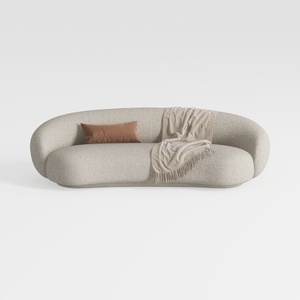
Minimalist Boucle Fabric Curved Sofa With Throw Pillow And Blanket 3D Model

Minimalist Solid Oak Round Coffee Table 3D Model
Discover your inner designer with Homestyler! This user-friendly online platform offers an intuitive design tool, stunning 3D renderings, and a wealth of DIY video tutorials. Whether you're transforming a room or planning a whole house, Homestyler makes home design accessible and fun for everyone!
Projete agora para LIVRE
































