

Mastering the technique of erasing sections of a 3D model is crucial in the realm of digital design. Whether you are refining a 3D scan, creating space for additional features, or rectifying errors, the approach can vary based on the specific 3D software in use. Nonetheless, the fundamental concept remains consistent: identify the area for modification and utilize tools like ‘delete’, ‘erase’, or ‘trim’ to remove the designated geometry. Software options such as Blender, SketchUp, Fusion 360, and Tinkercad incorporate a variety of selection and erasure functionalities, including marquee or lasso selections, face or vertex selections, and eraser brushes. It is vital to avoid disrupting the overall geometry or inadvertently creating undesirable gaps, unless that’s part of your design objective. A standard procedure entails entering edit mode, selecting the mesh elements you wish to address, and then either deleting or concealing them. Post-erasure, leveraging mesh cleanup tools or filling in gaps is essential to uphold the structure’s integrity, particularly for subsequent modeling or rendering activities. Utilizing platforms like Homestyler can enhance this workflow, thanks to their user-friendly editing options.
Essential Tips for 3D Editing:
As designers, ensuring that your edits are reversible is paramount—always consider working with layers or duplicating your model prior to significant deletions. For those involved in room layouts or spatial reconfigurations, utilizing advanced tools that allow you to visually edit, erase, and reconstruct elements—such as Homestyler—can significantly simplify the design process and reduce potential errors. These tools support both novice and professional designers, offering intuitive erase and edit capabilities that smoothly integrate into any creative workflow.
Frequently Asked Questions
Q: Is it possible to erase a part of a 3D model without damaging adjacent sections?
A: Absolutely, most 3D applications allow for selective deletion of faces, vertices, or edges while safeguarding the nearby geometry. It's advisable to use precise selection tools and proceed incrementally.
Q: What advantages does using mesh cleanup after deletion provide?
A: Mesh cleanup functions assist in eliminating unused vertices or addressing unintended gaps, thus preserving the model's integrity and mitigating rendering concerns.
Q: Which 3D modeling software facilitates straightforward erasing and editing?
A: Programs like Blender, Tinkercad, and SketchUp are particularly user-friendly for basic editing tasks, while more advanced platforms such as Fusion 360 offer professional-grade functionality.
Q: Can erasing parts of a 3D model impact its ability to be printed?
A: Yes, it can—removing sections may create holes or non-manifold edges that require rectification before 3D printing. Always verify and correct these issues post-editing.
Q: Are there AI-driven tools available for simplified model editing?
A: Indeed, several contemporary platforms feature AI-enhanced capabilities to streamline selection, erase tasks, and automatic repairs, particularly in home design scenarios with tools like Homestyler.
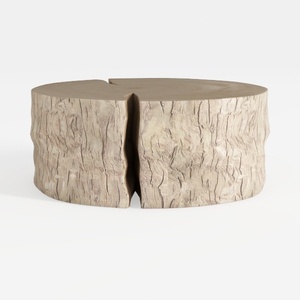

Lazzo Rattan Coffee Table Mid Century Modern Cente
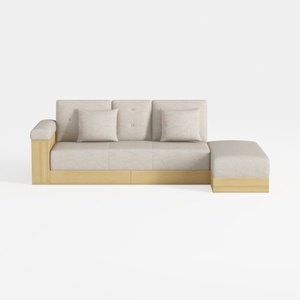
Sofa 84.65" Convertible Sofa Bed with Storage Otto
Homestyler is the ultimate online home design platform for all your decorating needs. With its user-friendly design tool, stunning 3D renderings, and a treasure trove of DIY video tutorials, it's never been easier to visualize and create your dream space. Dive in and get inspired!
Zaprojektuj teraz za darmo
































