

The process of designing 3D models for printing has seen a surge in popularity as both hobbyists and professionals embrace 3D printing for a variety of applications, from prototyping to custom creations. Whether you are just starting your journey into 3D printing or looking to hone your design skills, this guide outlines the necessary steps to craft impressive 3D models that can be printed with accuracy. To begin this creative endeavor, selecting the appropriate software is crucial. Numerous options are available, catering to all skill levels. For those new to the field, user-friendly platforms like Tinkercad offer a web-based interface, enabling you to create basic designs without the need for installation. As you build your skills, you might want to delve into more sophisticated tools like Blender, Fusion 360, or SketchUp, which are equipped with extensive functionalities for crafting complex models. After choosing your software, the next phase is to conceptualize your design. This could involve sketching your ideas on paper or employing digital tools to visualize the design's dimensions and characteristics. Reflect on the object’s intended use; is it meant for decoration, utility, or is it a prototype? Clarity on its purpose will inform your design choices. Once you have a solid concept, it's time to begin modeling. Start with fundamental shapes that form the basis of your design. Most 3D modeling applications will allow you to manipulate these shapes through scaling, rotation, and combination to achieve the desired outcome. Don’t hesitate to leverage online tutorials specific to your software, as they can offer valuable insights and shortcuts. Ensuring your model is ready for printing is another vital step. This involves checking for issues such as non-manifold edges and intersecting geometries, as well as making sure the wall thickness is appropriate for 3D printing methods. Many software platforms, including Homestyler, boast built-in tools or plugins designed to analyze your model for such pitfalls before you proceed to export. Once your design is complete and verified, exporting it in a suitable format for 3D printing, typically STL or OBJ, is essential. These formats are commonly accepted by 3D printers as well as slicing software, which prepares your model for actual printing. Prior to printing, it’s important to think about the material you intend to use. Commonly used options include PLA, ABS, and PETG, each with unique properties and uses that may affect your model's design, such as its durability, flexibility, and overall finish. Moving forward, you'll need slicing software to transform your 3D model into a format that the printer can interpret. The slicer allows you to modify settings like layer height, printing speed, and infill density. Carefully reviewing these parameters is important, as they significantly influence the print quality. When the slicing is complete, you can proceed to print your model! Load the design onto your 3D printer, verifying that it is correctly calibrated and the print bed is leveled. Once everything is properly set, initiate the printing process while keeping an eye out for any potential issues that may arise. Lastly, after the printing phase, you may want to engage in post-processing, which can involve removing unnecessary support structures, sanding, painting, or adding finishes to attain the desired look and feel. Post-processing can dramatically enhance the appearance of your 3D printed model. In summary, creating 3D models for printing is a fascinating and fulfilling activity that combines both creativity and technical expertise. By implementing these steps and utilizing the right tools and materials—including Homestyler to help stay organized—you can effectively manifest your ideas into tangible objects. Be sure to showcase your creations with the 3D printing community and continuously learn from others as you progress in your 3D printing adventure!
Tips 1:
Exercise patience and practice consistently. The more frequently you design, the more adept you will become at producing intricate 3D models that fulfill your requirements.
FAQ
welcome to Homestyler



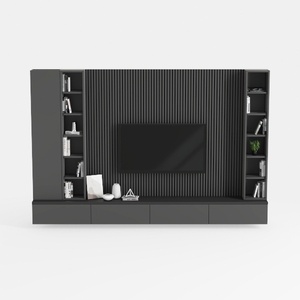
Looking to transform your home? Homestyler is your go-to online design platform! Utilize its user-friendly design tool, explore stunning 3D renderings, browse inspiring design projects, and learn through helpful DIY video tutorials. Start your home makeover journey effortlessly today!
Concevez maintenant gratuitement
































