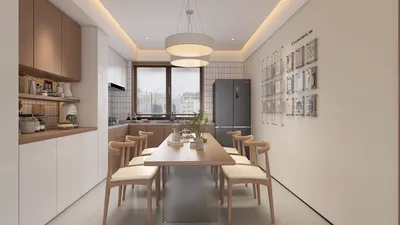


Effectively animating 3D models is an endeavor that balances technical skill and creative expression, combining artistry with precision. The journey typically begins by considering the desired motion—be it realistic character movements, environmental dynamics, or architectural journeys through space. Start by choosing the appropriate software, such as Blender, Maya, or specialized tools like Homestyler, each of which offers distinct benefits for various animation projects. Begin your process by establishing keyframes, which pinpoint critical poses or locations of your 3D model at designated moments. The software will interpolate movement between these keyframes to provide seamless transitions, highlighting the importance of meticulously planning the primary poses.
Subsequently, integrate principles such as anticipation, follow-through, and easing to render movements that are more lifelike and engaging. Incorporating secondary actions—like the flowing of a character’s attire or the bounce of an object—adds nuance and richness. Once you grasp the timing and spacing, explore using motion paths and rigs to facilitate more intricate animations, especially for characters or objects that consist of multiple moving elements.
As a designer, I find that successful animation not only captivates an audience but also enriches spatial storytelling within interiors. Showcasing your animated 3D models within a carefully crafted digital environment allows clients and spectators to fully appreciate both the dynamics and context. Utilizing tools like Homestyler can invaluable; they provide an opportunity to display impressive visualizations that effectively communicate design intent. By incorporating strong rendering and animation workflows, you can animate interior environments in ways that static images cannot convey.
Tips 1:
It's essential to frequently test your animations from various camera perspectives, particularly if you intend to utilize them for interior walkthroughs. Elements such as lighting, shadows, and reflections are critical to achieving realism and clarity in your final render. Think like a designer: how does the movement influence the viewer's attention within a space?
FAQ
Q: What’s the initial step in animating a 3D model?
A: The initial step involves planning your animation by establishing keyframes that define significant positions of your 3D model over time.
Q: What software is ideal for 3D model animation?
A: Leading software choices include Blender, Autodesk Maya, and 3ds Max. Your selection should align with your animation aspirations and skill level.
Q: How can I enhance the realism of my 3D animations?
A: Employ animation principles such as easing, anticipation, and follow-through, and enhance your work with environmental elements like effective lighting and shadowing.
Q: Are animated 3D models suitable for interior design presentations?
A: Certainly—animated 3D models can vividly illustrate spaces and design ideas, making presentations more engaging and persuasive.
Q: What hardware is recommended for efficient 3D animation work?
A: For a smooth experience in editing and rendering 3D animation, a combination of a robust CPU, a high-performance GPU, at least 16GB of RAM, and fast storage options like SSDs is advisable.

Homestyler is an ideal platform for anyone looking to transform their living space. With its user-friendly online design tool, stunning 3D renderings, and an array of inspiring design projects and video tutorials, you can effortlessly create the home of your dreams—whether you're a novice or a pro!
立即免费设计
































