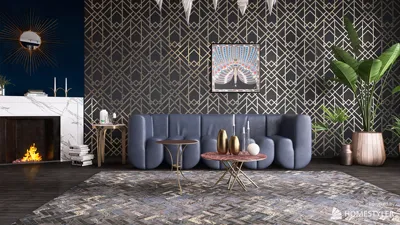


Mastering 3D Max exterior rendering is a crucial ability for designers aiming to craft realistic and captivating outdoor environments. Whether you're a seasoned architect or a novice in the realm of 3D modeling, grasping the intricacies of exterior rendering can substantially enhance your projects. Leveraging tools like Homestyler can be a game changer in this aspect.
In this comprehensive guide, we will delve into various methods and strategies to help you achieve stunning outcomes with your 3D Max exterior renders while also considering the synergy with Homestyler for your design needs.
The Importance of Lighting in 3D Max
Lighting is fundamental in defining how your exterior renders will look. Harnessing natural light can produce breathtaking effects, but it necessitates a solid grasp of the assorted light types in 3D Max. Keep these essential points in mind:
Selecting Appropriate Materials
Materials tremendously influence the authenticity of your render. When dealing with exterior environments, it's important to contemplate the following aspects:
Incorporating Landscaping Features
To develop an engaging outdoor composition, weave in landscaping features like trees, shrubs, and pathways. Here are some recommendations:
Rendering Strategies for Outdoor Scenes
The rendering technique you opt for can greatly affect the final result. Reflect on these approaches:
Enhancement Through Post-Processing
Post-processing can drastically elevate your images after rendering. Discover how you can do this effectively:
Final Thoughts
To truly excel in 3D Max exterior rendering, one must practice, experiment, and maintain a meticulous attention to detail. By mastering lighting, materials, landscaping, and rendering techniques, not only can you create stunning visuals, but you can also bring your designs to life using platforms like Homestyler to further enhance your vision.
Frequently Asked Questions
Q: What is the optimal lighting arrangement for exterior rendering in 3D Max? A: Blending sunlight with sky lighting is ideal for generating realistic outdoor visuals. Adjust the angle and intensity according to your preferred time of day.
Q: How can I enhance the realism of my materials? A: Employ high-quality texture maps, and focus on reflectivity and bump maps to boost material authenticity.
Q: Which software is best for post-processing my renders? A: Commonly used options are Photoshop and GIMP, which offer various features for color correction and enhancements.
welcome to Use No.1 Home Design Software
지금 무료로 디자인하세요
































