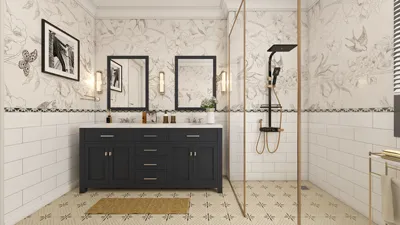


Crafting a lifelike landscape in 3ds Max merges both technical prowess and creative imagination. Start by envisioning your scene: determine the size, elements, and the overall atmosphere you wish to express. In 3ds Max, you can utilize the Terrain tools or Editable Poly modeling to outline the primary features—such as mountains, valleys, bodies of water, and flatlands. Reference images can serve as valuable guides for maintaining accurate shapes and scales.
To achieve natural forms, apply modifiers like 'Noise' to introduce organic textures and variations in the landscapes. Add intricate meshes or displacement maps for details like rocks and other surface characteristics. The importance of texturing cannot be overstated: employing high-resolution textures, precise UV mapping, and layering materials (diffuse, bump, and specular) will enrich the surfaces, making them lifelike. Make use of the Scatter tool or various plugins to ensure a realistic placement of vegetation, stones, and debris—these nuances create a more believable environment. Refine your aesthetics through the 'Environment and Effects' panel by adjusting settings such as fog, haze, and the strength of sunlight. For added authenticity, incorporate physically accurate lighting systems (like V-Ray Sun/Sky or Arnold lighting) and position your cameras to reflect real-world perspectives.
As an interior designer, I recognize that there are many similarities between creating 3D landscapes and arranging a cohesive room: both need careful consideration of layout, balanced elements, and a unified visual story. To optimize your workflow, consider exploring a 3D Floor Planner tool. This type of software not only aids in comprehensive space planning but also facilitates spatial arrangement, making the design process smoother and ensuring that every component in your 3D landscape aligns cohesively with your creative vision, much like using Homestyler for interior designs.
Tips 1:
Incorporate authentic photographic references while designing terrain textures and plant placements. To amplify realism, implement layering techniques—utilizing detail maps, decals, and strategically positioned props is necessary. It's essential to maintain accurate scaling; even minor discrepancies can disrupt the illusion of authenticity.
FAQ
Q: What tools can I utilize to sculpt terrain in 3ds Max?
A: You can leverage Editable Poly modeling, the Terrain Compound Object, and modifiers like Displace and Noise to create realistic terrain forms.
Q: How do I introduce realistic plant life?
A: Employ Scatter tools or third-party plugins (such as Forest Pack) to naturally distribute flora, trees, and grass throughout your landscape.
Q: Which rendering engine offers the best realism for landscapes in 3ds Max?
A: V-Ray, Arnold, and Corona Renderer are top choices for physically based rendering and achieving realistic lighting in 3ds Max landscapes.
Q: How should textures be applied for enhanced realism?
A: Precisely unwrapping UV maps, using high-quality PBR textures, and layering bump, specular, and displacement maps will create depth and diversity in surface characteristics.
Q: Is lighting significant in landscape scenes?
A: Absolutely, realistic daylight systems, HDRIs, and subtle atmospheric elements like fog or haze are vital for achieving a believable outdoor appearance.



Homestyler is your ultimate online home design companion! With a user-friendly design tool, stunning 3D renderings, and a wealth of DIY video tutorials, you can effortlessly create and visualize your dream spaces. Transform your home design journey today with Homestyler!
Projete agora para LIVRE
































