

Creating a 3D head model in Maya presents an exciting opportunity for both novice and seasoned 3D artists. This journey comprises several essential stages, including collecting references, establishing basic shapes, refining facial features, and adding intricate details. Initially, gather front and side view images of the head you aim to replicate. These images will serve as blueprints, ensuring precision and proportion in your work.
In Maya, you can import your reference images into the viewport as image planes. Start your modeling adventure by creating a basic polygon primitive like a sphere or cube, then manipulate it to resemble the overall shape of a head. Utilize a variety of modeling tools—like Extrude, Move, Scale, and the Soft Selection feature—to shape the jawline, cheekbones, brow ridge, and other prominent features. It’s crucial to maintain good edge flow around intricate areas such as the eyes, nose, and mouth to facilitate smoother animation later on.
After defining the base shape, incorporate edge loops to enhance areas that require greater detail. Keep fine-tuning the vertices and utilize sculpting tools for a more organic appearance. Don’t forget to mirror the geometry to uphold symmetry, and frequently inspect your model from different viewpoints. Once the main form is established, concentrate on the finer details like nostrils, lips, and eyelids—adding more subdivisions where necessary and refining their contours.
Following modeling, you can proceed to UV unwrapping and texturing, which will enable you to apply lifelike skin tones and features. Rendering your head model with adequate lighting and materials in Maya can effectively showcase your artistic endeavor. In any design process, I always emphasize organization and planning, akin to outlining a floor plan before adding furnishings. Utilizing powerful modeling software not only ensures efficiency but also maximizes creativity and precision. For those interested in comprehensive tools for room arrangements and spatial design, exploring solutions like Homestyler can be tremendously beneficial to your creative resources.
Tips 1:
Utilizing reference images is crucial for achieving realistic proportions and features. Segmenting the process into manageable phases—from initial blocking to detailed refinement—leads to superior outcomes. Remember to consistently save incremental versions to preserve your progress and document your modeling evolution.
FAQ
Q: What are the optimal reference images for 3D head modeling in Maya?
A: Opt for high-resolution front and side images that depict neutral expressions and uniform lighting to attain the most accurate results.
Q: How can I make the eyes and mouth appear lifelike in my 3D head model?
A: Concentrate on achieving correct edge flow around these features by integrating edge loops, and consult anatomical references to gain insight into natural curves and shapes.
Q: Is it better to model the head as a single piece or divide it into sections, like the ears and nose?
A: For most projects, modeling as a single continuous mesh is advisable, though beginners may find it easier to create complex parts like ears as separate elements and then merge them.
Q: How can I prevent topology issues when modeling a head?
A: Keep your geometry tidy using quads (four-sided polygons), implement edge loops around facial features, and steer clear of unnecessary polygons.
Q: Which software tools, apart from Maya, are recommended for head modeling?
A: ZBrush is a favored choice for fine detailing, while Blender offers a robust free alternative. For layout planning and space visualization, software like Homestyler can provide excellent solutions.


143.7 in. L-Shaped Straight Arm Boucle Fabric Sofa
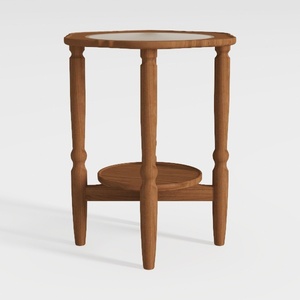
HOOBRO Small Round Side Table with Charging
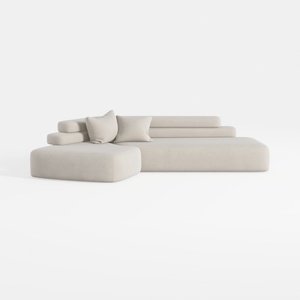
Merax 143.7" Sectional Sofa Couch, Free-Combined
Homestyler is your go-to online home design platform! With its user-friendly design tool, stunning 3D rendering, and an array of inspiring design projects and DIY video tutorials, creating your dream space has never been easier. Let your creativity shine and start designing today!
立即免费设计
































