


Are you prepared to elevate your interior design abilities using remarkable 3D flooring techniques? This comprehensive tutorial will take you through essential steps to craft captivating 3D floor designs that can dramatically change any area. Regardless of whether you're a novice or a skilled professional, mastering 3D flooring can bring depth and dimension to your projects, allowing them to shine in a competitive landscape. First, let’s delve into the fundamentals of 3D flooring. Imagine 3D flooring as a combination of art and science, where you can manipulate visual perspectives to create an illusion of depth. The key to success lies in effectively utilizing colors, shadows, and textures. Begin by selecting a theme or concept for your design. If you're striving for a natural aesthetic, think about integrating elements such as wood grains, stone textures, or even a serene beach scene. Next, pick the right software that supports 3D rendering. Platforms like Homestyler provide a vast library of furniture models and design templates, simplifying the visualization of your flooring concepts. With Homestyler, you can easily create layouts, select color schemes, and preview how various flooring options will appear in your space. Once your software is set up, it’s time to sketch your design. Initiate with a base layer that reflects the actual floor, whether it’s a solid hue or a fundamental texture. From this point, layer your 3D elements. For example, if your goal is to design a floor that resembles a pool of water at the center, you’ll need to create a reflective surface that emulates the glistening appearance of water. Remember to experiment with lighting! Lighting is vital in 3D design. By adjusting the light sources within your software, you can amplify shadows and highlights, which adds to the overall depth of your flooring design. Try different angles and intensities to achieve the perfect equilibrium. After refining your design, it’s paramount to render it in high quality. Rendering generates a high-resolution image of your design, useful for presentations or promotional material. With Homestyler’s advanced rendering capabilities, you can showcase your work optimally. Lastly, don’t forget to share your creations! Utilize social media and design communities to display your 3D flooring designs. Interacting with other designers and gathering feedback can enhance your skills while helping you establish a network of like-minded creatives. In conclusion, the techniques of 3D flooring can genuinely transform your approach to interior design. With the proper tools and methods, you can craft breathtaking visuals that engage your audience and elevate any space. So, roll up your sleeves and start designing! Happy designing!
Tips 1:
Consider participating in workshops or online classes to deepen your understanding of 3D design principles.
FAQ
Welcome to Homestyler!
What began as an Autodesk innovation has evolved into a design platform used by more than 18 million people around the globe. Homestyler combines powerful rendering, an intuitive editor, and a vast furniture library to help you turn inspiration into photorealistic designs — whether you're redesigning a single room or planning an entire home.
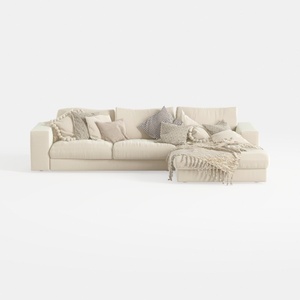
Minimalist Beige Fabric L Shaped Sectional Sofa with Throw Pillows 3D Model
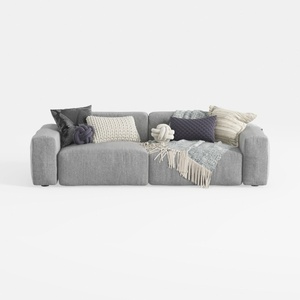
Minimalist Fabric Large Sectional Sofa with Decorative Pillows 3D Model

Modern Olive Green Velvet Loveseat Sofa with Metal Legs 3D Model
Homestyler is your go-to online home design tool, perfect for anyone looking to create their dream space. With stunning 3D renderings and a plethora of inspiring design projects, plus easy-to-follow video tutorials, bringing your decor vision to life has never been easier!
Projete agora para LIVRE
































