


Creating a 3D face model captivates the realms of art, anatomy, and cutting-edge technology. Whether your goal is to achieve extreme realism or to design stylized characters, the journey typically consists of several pivotal phases: collecting references, building a base mesh, sculpting, retopology, texturing, and rendering. Begin by sourcing high-quality reference images captured from various angles—front, profile, and three-quarters views are particularly beneficial. Using your selected 3D modeling software, such as Blender, ZBrush, or Maya, start with a basic mesh, concentrating on fundamental proportions and essential features like the jawline and eye contours.
Proceed to the sculpting phase where you will outline secondary features: the cheeks, lips, nose, and ears. It’s crucial to consider facial anatomy, as the muscles and foundational structure heavily influence surface details. After sculpting, carry out retopology to enhance the mesh for animation or additional detailing. Don’t forget to unwrap the UVs, setting the stage for texturing. Applying textures, which encompass skin tones, pore details, and subtle variations, enhances realism, often crafted in programs like Substance Painter. Conclude by arranging lighting and rendering within your 3D software environment to present your finished face model beautifully.
As a designer, I believe that utilizing contemporary digital resources can greatly simplify this workflow. If you are looking to incorporate 3D facial models into a comprehensive home or interior space visualization, consider using platforms with powerful 3D rendering capabilities, such as Homestyler. These tools allow you to display your artistic designs in realistic environments, providing both creative fulfillment and practical applications for your design endeavors.
Tips 1:
When sculpting, concentrate on the face's planes—begin with broad surfaces before moving on to intricate details. This approach facilitates the maintenance of accurate proportions and prevents you from getting bogged down in minor features prematurely.
FAQ
Q: Which software is optimal for 3D face modeling?
A: Popular options include ZBrush, Blender, and Maya. ZBrush is particularly renowned for its sculpting prowess, while Blender and Maya provide complete modeling solutions.
Q: Are reference images essential for creating a lifelike face model?
A: Absolutely, high-quality references from various angles are vital for achieving anatomical precision and proportionate consistency.
Q: How critical is retopology in 3D face modeling?
A: Retopology plays a crucial role in crafting an efficient, animation-ready mesh, especially relevant for models intended for rigging or real-time use.
Q: What methods are employed for texturing a 3D face?
A: Techniques such as texture painting, photographic projection, and procedural textures are employed to create skin details, colors, and subtle imperfections.
Q: What impact does lighting have on the final render of a 3D face?
A: Adequate lighting accentuates form and texture, enhancing the realism and emotional depth of the final presentation of your model.
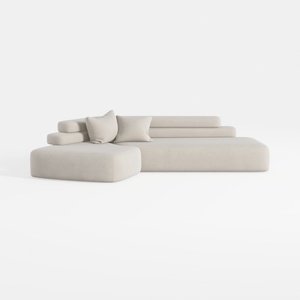
Minimalist Fabric L Shape Sectional Sofa 3D Model

Minimalist Solid Oak Fluted TV Stand with Black Metal Legs 3D Model

Minimalist Fabric Three Seater Sofa with Decorative Pillows and Throws 3D Model
Homestyler is an amazing platform for anyone wanting to design their home! With its user-friendly online design tool, stunning 3D renderings, and a wealth of DIY video tutorials, you can easily create, visualize, and bring your interior design dreams to life.
Diseño ahora GRATIS
































